
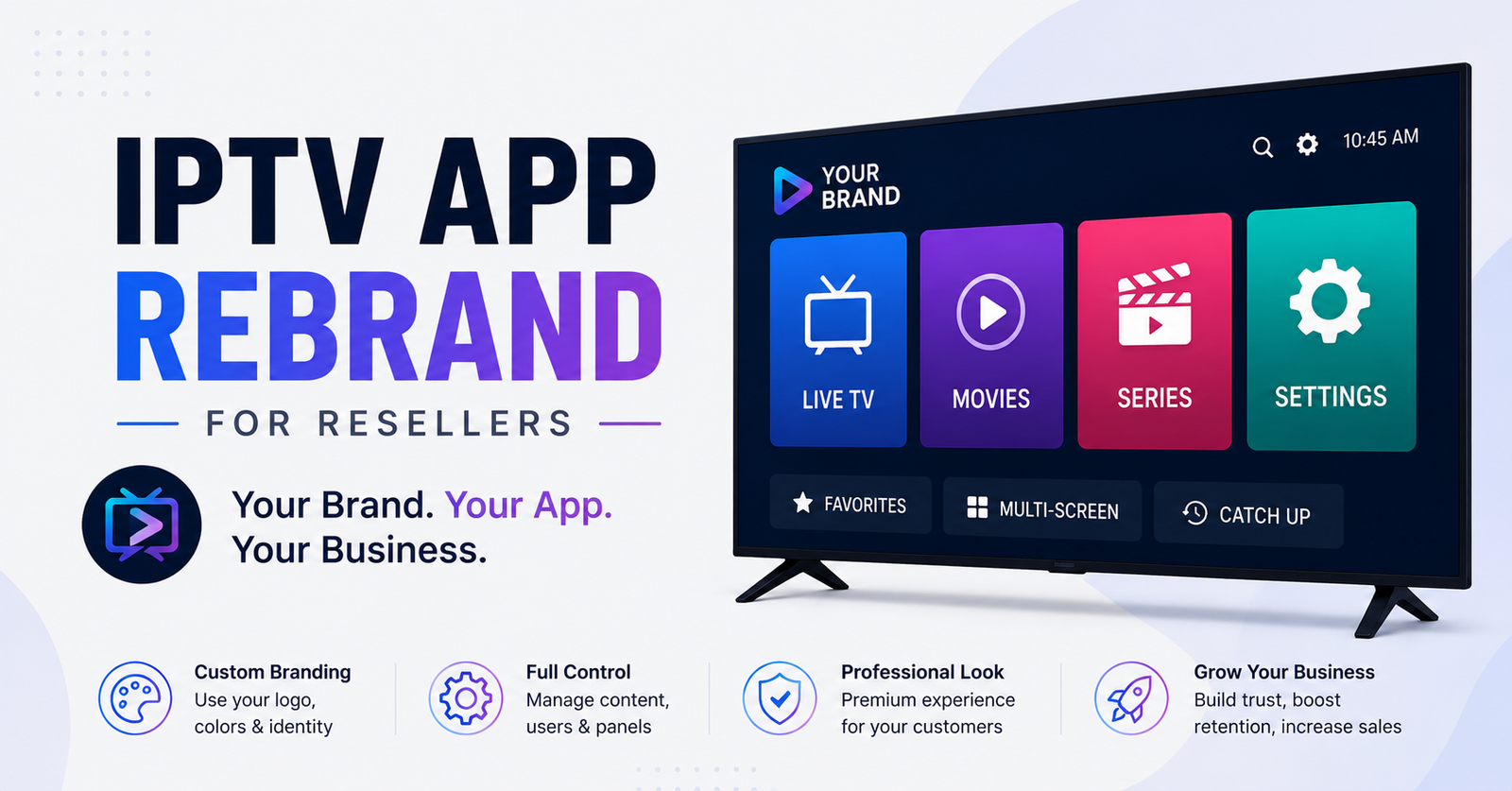

IPTV App Rebrand for Resellers: Stop Losing Subs to Generic Apps
There’s a moment every IPTV reseller hits — usually around their third or fourth month — where the generic launcher they’re handing out starts to feel like a liability. Subscribers ask questions. “Why does this app say something different from your website?” “Is this even your service?” And just like that, trust evaporates. The reseller who figured out IPTV app rebrand for resellers early? They’re the one still standing two years later while everyone else churned out.
This isn’t about slapping a logo on an APK and calling it a day. That era ended around 2023. The resellers moving volume in 2026 treat their white-label app the way a franchise owner treats storefront signage — it’s the first thing a customer touches, and the last thing they remember when deciding whether to renew.
Let’s get into what actually matters.
What IPTV App Rebrand for Resellers Actually Means in Practice
Strip away the marketing language and here’s the reality: IPTV app rebrand for resellers is the process of taking an existing IPTV player application — typically built on Xtream Codes or M3U architecture — and modifying its visual identity, default server connections, and user-facing elements so it appears as a proprietary product belonging to your reseller brand.
That means your logo on the splash screen. Your colour scheme across the interface. Your support contact baked into the settings. Your default portal URL pre-loaded so customers don’t fumble with server entries.
But the piece most guides skip? The technical backend. A rebranded app that still pings the original developer’s analytics server, still carries their package name in the Play Store listing, or still references third-party update channels is a ticking time bomb.
Pro Tip: Before rebranding any APK, decompile it and search for hardcoded URLs, tracking pixels, and update-check endpoints. If you can’t identify every outbound connection that app makes, you don’t control your brand — someone else does.
Why Generic Apps Are Quietly Killing Reseller Margins
Here’s a pattern that repeats across every reseller panel forum: a new operator launches with a publicly available IPTV player, gains 40 or 50 subscribers, then watches half of them leave within 90 days. They blame the server. They blame the content. They almost never blame the app.
But the app is the interface. It’s the thing sitting on a customer’s Firestick or Android box between them and your service. When that app looks identical to what five other resellers in the same Facebook group are distributing, you’ve commoditised yourself before the first stream loads.
The maths behind IPTV app rebrand for resellers is straightforward:
- Perceived exclusivity drives retention — subscribers who believe they’re on a “private” service churn at roughly half the rate of those who know they’re using a generic player
- Support overhead drops when your app auto-connects to the correct portal — no more walking customers through manual server entry
- Upselling becomes possible when the app feels like a product, not a workaround
| Factor | Generic App | Rebranded App |
|---|---|---|
| Customer trust on first launch | Low — looks third-party | High — matches brand |
| Support tickets for setup | 3–5 per customer | Near zero with pre-config |
| Subscriber retention at 90 days | ~45% | ~70%+ |
| Reseller differentiation | None | Strong brand moat |
| Exposure to mass takedowns | High — shared package name | Lower — unique identity |
The APK Modification Process Most Resellers Get Wrong
Let’s talk about the actual mechanics of IPTV app rebrand for resellers at the file level, because this is where operators either build something sustainable or create a fragile mess that breaks on the next Android update.
The standard workflow looks something like this: obtain the base APK, decompile it using a tool like APKTool, replace visual assets, modify the AndroidManifest.xml to change the package name, recompile, and sign with your own keystore.
Simple enough on paper. Disastrous in practice if you miss any of these:
- Package name collision — if you don’t change the package name, your rebranded app will conflict with the original on any device that already has it installed. Subscribers get cryptic error messages. You get support tickets at midnight.
- Signing key management — lose your keystore file and you can never push an update to devices that installed your signed version. Every single subscriber has to uninstall and reinstall. That’s not a technical inconvenience. That’s a churn event.
- Resource ID conflicts — Android assigns integer IDs to resources during compilation. If you only partially replace assets, you’ll get crashes on specific devices that handle resource fallbacks differently.
Pro Tip: Keep a version-controlled repository of every APK build you distribute. Tag each release with the base app version, your modification date, and the server URL it connects to. When something breaks six months later — and it will — you need to know exactly what changed.
Choosing a Base App: The Decision That Shapes Everything
Not every IPTV player is equally suited for IPTV app rebrand for resellers. Some were designed with white-labelling in mind. Others were built as consumer-facing products where the developer never intended anyone to touch the internals.
The distinction matters enormously. A rebrand-friendly base app will typically offer a clean separation between the UI layer and the streaming engine. The assets folder will be well-organised. The configuration will reference external files or API endpoints rather than burying server details in compiled Java classes.
A rebrand-hostile app? You’ll find yourself editing smali code, reverse-engineering obfuscated class names, and praying that ProGuard didn’t scramble the one method you need to modify.
Three questions to ask before committing to a base application:
- Does the developer offer a white-label programme or licensing tier? Some actively support IPTV app rebrand for resellers and provide tools to make it painless.
- How frequently does the original app update? If the developer pushes monthly patches, you’ll need to merge your modifications with each update — or fall behind on compatibility fixes.
- Does the app support both Xtream Codes API and M3U playlist input? Limiting yourself to one protocol narrows your upstream provider options.
Splash Screens, Colour Palettes and the Psychology of First Impressions
Let’s shift from the technical guts to what the subscriber actually sees. The visual layer of IPTV app rebrand for resellers is where most operators invest their energy — and honestly, it’s the right instinct, even if the execution is usually poor.
The splash screen is your three-second handshake. It loads before anything else. If it looks amateurish, pixelated, or generically templated, you’ve already lost credibility before a single channel loads.
What works in 2026:
- Minimal logo on a dark background — avoid busy gradients or stock imagery. Clean reads as professional.
- Loading animation that matches your brand colour — even a simple spinner in your accent colour signals intentionality.
- No third-party branding whatsoever — if the base app’s original name flashes for even half a second before your splash loads, the illusion shatters.
The colour palette carries through the entire experience. Navigation bars, EPG backgrounds, channel category headers, settings menus — every screen should feel cohesive. The resellers who treat IPTV app rebrand for resellers as a full design project rather than a logo swap are the ones building subscriber bases that stick around.
Pro Tip: Test your colour scheme on both OLED and LCD screens. A dark theme that looks stunning on a Samsung OLED can appear washed out on a budget Android box connected to an older television. Your subscribers aren’t all watching on flagship hardware.
Pre-Configured Server Connections: Eliminating the Setup Friction
Here’s a stat that should alarm every reseller reading this: roughly 15 to 20 percent of new IPTV subscribers who receive login credentials never actually complete setup. They get the username, password, and server URL in a message, open a generic app, stare at the login screen, and give up.
That’s not a content problem. That’s an onboarding problem. And it’s precisely what IPTV app rebrand for resellers solves at the infrastructure level.
When your rebranded app ships with the server URL pre-configured, the subscriber experience transforms completely:
- Download the app from the link you provide
- Enter username and password
- Streams load
Three steps instead of five or six. No copying and pasting portal addresses. No confusion about which port number to use. No accidentally entering HTTP instead of HTTPS.
The technical implementation varies depending on the base app. Some allow you to set a default server URL in a configuration file within the assets folder. Others require modifying the login activity’s default values in the source code.
For Xtream Codes-based setups, you’ll typically hardcode the portal URL in the format:
http://yourserver.com:port
For M3U-based configurations, you might pre-populate the playlist URL field while still allowing the subscriber to modify it if needed.
Update Channels and Version Control After the Rebrand
One of the most overlooked aspects of IPTV app rebrand for resellers is what happens after the initial deployment. You’ve built your branded app. You’ve distributed it to your subscriber base. Now the original developer releases version 4.2 with a critical ExoPlayer patch that fixes buffering on Android 14 devices.
What do you do?
If you haven’t planned for this, you’re stuck. You can either redistribute the old generic app and lose your branding, or you can spend hours merging the update into your modified codebase.
The operators who handle this well build a structured update pipeline:
- Monitor the base app’s changelog — subscribe to the developer’s Telegram channel, GitHub repo, or update RSS feed
- Maintain a diff file of every modification you’ve made to the original codebase
- Test on at least three device types before pushing any update — Firestick, generic Android box, and a mobile device
- Use a self-hosted update server rather than relying on the original app’s update mechanism. This gives you complete control over when and how subscribers receive new versions
Pro Tip: Some base apps check for updates by pinging a specific URL. During your IPTV app rebrand for resellers process, redirect that update check to your own server. This way, subscribers receive YOUR updates on YOUR schedule — not the original developer’s.
DNS Poisoning, ISP Blocking and How Your Rebranded App Handles It
Here’s where IPTV app rebrand for resellers intersects with the infrastructure realities of 2026. Major ISPs across Europe and North America are deploying increasingly sophisticated blocking mechanisms. DNS poisoning is the most common — your subscriber’s ISP intercepts DNS queries for known IPTV server domains and returns false results.
A properly rebranded app can build resilience directly into the client side:
- Hardcoded DNS-over-HTTPS endpoints — bypass ISP-level DNS manipulation entirely by routing lookups through encrypted channels
- Fallback server addresses — if the primary portal is unreachable, the app automatically tries a secondary URL without subscriber intervention
- Built-in VPN prompts — detect when a connection fails in a pattern consistent with ISP blocking and surface a clear message guiding the subscriber to enable their VPN
The resellers who bake these protections into their rebranded app are solving problems before subscribers even notice them. That’s the difference between a support queue full of “it’s not working” messages and a subscriber base that quietly watches without interruption.
| Blocking Method | Impact on Generic App | Impact on Well-Rebranded App |
|---|---|---|
| DNS poisoning | Complete service failure | Bypassed via DoH/DoT fallback |
| IP-based blocking | Requires manual server switch | Auto-failover to backup uplink |
| DPI (Deep Packet Inspection) | Streams detected and throttled | HLS obfuscation reduces detection |
| App store removal | Subscribers lose access entirely | Sideloaded APK unaffected |
Load Balancing Awareness Inside the Client App
Most conversations about load balancing happen at the server level. But IPTV app rebrand for resellers introduces an opportunity that almost nobody exploits: client-side load awareness.
What does this mean practically? Your rebranded app can be configured to connect to the least-loaded server automatically. Instead of hardcoding a single portal URL, you implement a lightweight API call on launch that returns the optimal server address based on current load, geographic proximity, or even time-of-day patterns.
This is particularly valuable during peak viewing hours — major sporting events, weekend prime time, holiday periods — when a single server might be handling two or three times its normal concurrent connections.
The implementation doesn’t need to be complex. A simple JSON endpoint that returns a server URL is enough. Your app checks this endpoint on launch, receives the recommended server, and connects. The subscriber never sees any of this. They just notice that their streams start faster and buffer less than whatever they were using before.
Pro Tip: If you’re running multiple uplink servers, rotate the default connection on a geographic basis. UK subscribers hit your London node. EU subscribers hit Amsterdam. This alone can cut HLS latency by 30 to 40 percent during peak hours — and it’s something you can bake directly into the IPTV app rebrand for resellers workflow.
Panel Credit Integration and Subscriber Self-Service
Here’s where IPTV app rebrand for resellers starts to generate direct revenue impact beyond retention. The most sophisticated rebranded apps in 2026 include lightweight subscriber self-service features — not full panel access, but enough functionality that subscribers can manage their own experience without contacting support.
Consider what’s possible:
- Subscription status display — show the subscriber when their current credit expires, directly inside the app’s settings menu
- Renewal link — a single button that opens your payment page in the device’s browser
- Connection diagnostics — a built-in speed test or server ping that helps subscribers troubleshoot before they message you
Every support interaction you eliminate through self-service is time you can spend acquiring new subscribers or optimising your infrastructure. The resellers running 500+ lines who haven’t implemented self-service features in their IPTV app rebrand for resellers are essentially paying themselves to answer the same ten questions every day.
For Xtream Codes-based panels, subscriber status can be pulled via the player API using the existing login credentials. The app simply queries the API and displays the expiry date — no additional authentication layer required.
Legal Considerations and Package Name Strategy
Let’s address something most IPTV app rebrand for resellers guides conveniently ignore: the legal surface area.
When you modify an APK and redistribute it, you’re operating in a grey zone that depends heavily on the original developer’s licensing terms. Some developers explicitly permit modification. Others include clauses in their terms of service that prohibit it. A few have actively pursued resellers who distributed modified versions without authorisation.
The package name you choose during the rebrand also has practical legal implications. Using a package name that closely mimics a well-known application — even unintentionally — can trigger automated takedown systems on app distribution platforms and sideload repositories.
Smart operators choose package names that:
- Reflect their own brand without referencing any existing product
- Use a reverse-domain format based on a domain they actually own
- Are short enough to avoid truncation in device settings and app managers
Beyond the package name, your rebranded app should not include any trademarked imagery, default channel logos from major broadcasters, or references to premium sports streams in its interface elements. The app itself should be content-neutral — a player that connects to your server, not a catalogue of specific channels.
Testing Across the Device Fragmentation Nightmare
The IPTV market runs on some of the most fragmented hardware in consumer electronics. Your rebranded app needs to function on devices ranging from current-generation Firestick 4K Max units down to five-year-old Android 9 boxes running on 1GB of RAM with Mali-400 GPUs.
IPTV app rebrand for resellers fails at scale when testing is limited to the reseller’s own device. What works perfectly on your development Firestick might crash on a Formuler box, render incorrectly on a Mecool unit, or fail to decode HEVC streams on an older Xiaomi Mi Box.
A minimum viable testing matrix:
- Amazon Firestick (current gen and one gen back)
- Generic Android TV box (Allwinner or Amlogic chipset)
- Android mobile device (if you distribute a mobile version)
- Formuler or Buzz TV (if your subscriber base leans toward dedicated IPTV hardware)
For each device, verify splash screen rendering, EPG loading speed, channel switching latency, and — critically — the behaviour when the server is unreachable. A graceful timeout message branded with your identity is infinitely better than a generic “connection refused” error.
Pro Tip: Record a short screen capture of the app’s first-launch experience on each test device. Send these to new subscribers as part of your onboarding. Seeing the app running on their specific hardware eliminates hesitation and reduces setup support tickets by half.
Scaling From 50 Lines to 500: When the Rebrand Pays for Itself
There’s a breakpoint in the IPTV reseller business where IPTV app rebrand for resellers shifts from a nice-to-have into a genuine competitive requirement. That breakpoint sits somewhere around 100 active subscribers.
Below 100 lines, you can get away with personal support. You know most of your subscribers by name or username. When something breaks, you can message them individually. The generic app is annoying but manageable.
Above 100 lines, the cracks become canyons:
- Support volume scales faster than your subscriber count because confused subscribers message multiple times
- Churn accelerates as subscribers discover they’re using the same app as other services — the perceived value of your offering collapses
- Onboarding new subscribers becomes a bottleneck because every signup requires a manual walkthrough
At 200+ lines, IPTV app rebrand for resellers isn’t optional. It’s infrastructure. The rebranded app becomes your frontline support agent, your brand ambassador, and your retention tool — all running 24 hours a day on every subscriber’s device without costing you a penny per interaction.
The investment? Depending on whether you handle the modification yourself or commission it, somewhere between 20 and 200 hours of initial work, plus ongoing maintenance. The return? Measurable in reduced churn, lower support overhead, and the ability to charge a premium because your service looks and feels like a premium product.
Frequently Asked Questions
How long does IPTV app rebrand for resellers typically take from start to finish?
For someone with basic Android development familiarity, a clean rebrand takes roughly 8 to 15 hours across decompilation, asset replacement, manifest editing, recompilation, signing, and testing. First-timers should budget a full weekend. The complexity multiplies if the base app uses code obfuscation or includes native libraries that reference the original package name in compiled C++ layers.
Can I rebrand an IPTV app without any coding knowledge?
Technically yes — some white-label providers offer drag-and-drop branding tools where you upload your logo and colours through a web dashboard. However, these solutions limit your control over server configurations, update channels, and fallback mechanisms. For serious resellers, learning basic APK modification is worth the investment because it eliminates dependency on third-party rebrand services.
Does IPTV app rebrand for resellers affect streaming quality or performance?
A properly executed rebrand changes only visual assets, configuration files, and package identity. It should not touch the streaming engine, codec handling, or buffer management. If your rebranded app performs worse than the original, something went wrong during the modification — typically a resource conflict or an accidentally deleted library file during decompilation.
How do I distribute a rebranded APK to subscribers without using the Play Store?
Most IPTV resellers host their APK on a private download page, a cloud storage link, or a URL shortener that points to their own server. For Firestick users, the Downloader app is the standard sideloading method. Always serve the APK over HTTPS and consider implementing a simple download counter so you know how many subscribers have installed each version.
Will ISP blocking affect my rebranded app differently than a generic player?
The app itself isn’t what ISPs block — they target server domains and IP addresses. However, a rebranded app gives you the advantage of building in DNS-over-HTTPS fallbacks, backup server rotation, and ISP detection prompts that generic apps lack. This makes your subscribers more resilient to blocking without requiring them to take manual action.
Is it legal to modify and redistribute an IPTV player APK?
This depends entirely on the original developer’s licence terms. Some developers encourage white-labelling and offer commercial licences for resellers. Others explicitly prohibit modification. Always review the terms of service and, where possible, use base apps that offer an official IPTV app rebrand for resellers programme to avoid potential disputes.
How often should I update my rebranded app?
Aim for quarterly updates at minimum, or immediately when the base app releases a security patch or critical bug fix. Subscribers on outdated app versions are the most likely to experience buffering issues, codec incompatibilities with newer stream formats, and connection failures caused by expired SSL certificates on your server side.
Can I include multiple server portals in a single rebranded app?
Yes, and this is increasingly common among resellers who source content from multiple uplink providers. You can configure a primary and secondary portal within the app, with automatic failover if the primary becomes unreachable. Some advanced setups include a server selection menu that lets subscribers choose between portals optimised for different content categories or geographic regions.
Success Checklist: Your IPTV App Rebrand Execution Plan
- Audit your current base app — identify every hardcoded URL, tracking endpoint, and third-party reference before modifying a single file
- Change the package name to a reverse-domain format using a domain you own — never mimic an existing application’s namespace
- Replace every visual asset: splash screen, app icon, navigation bar colours, EPG background, and settings menu branding — partial rebrands look worse than no rebrand at all
- Pre-configure your server portal URL so subscribers never manually enter connection details
- Set up your own signing keystore and back it up in at least two secure locations — losing this file means losing your update path
- Redirect the app’s update check to a server you control so you manage rollout timing
- Build DNS-over-HTTPS fallback and backup server rotation into the client to handle ISP blocking without subscriber intervention
- Test on a minimum of three device types before every release — Firestick, generic Android box, and one mobile device
- Implement basic subscriber self-service: expiry date display, renewal link, and connection diagnostics
- Maintain version-controlled archives of every APK build you’ve ever distributed
- Start building your rebranded app infrastructure now — visit British Reseller to explore IPTV reseller panel options that support white-label integration from day one