
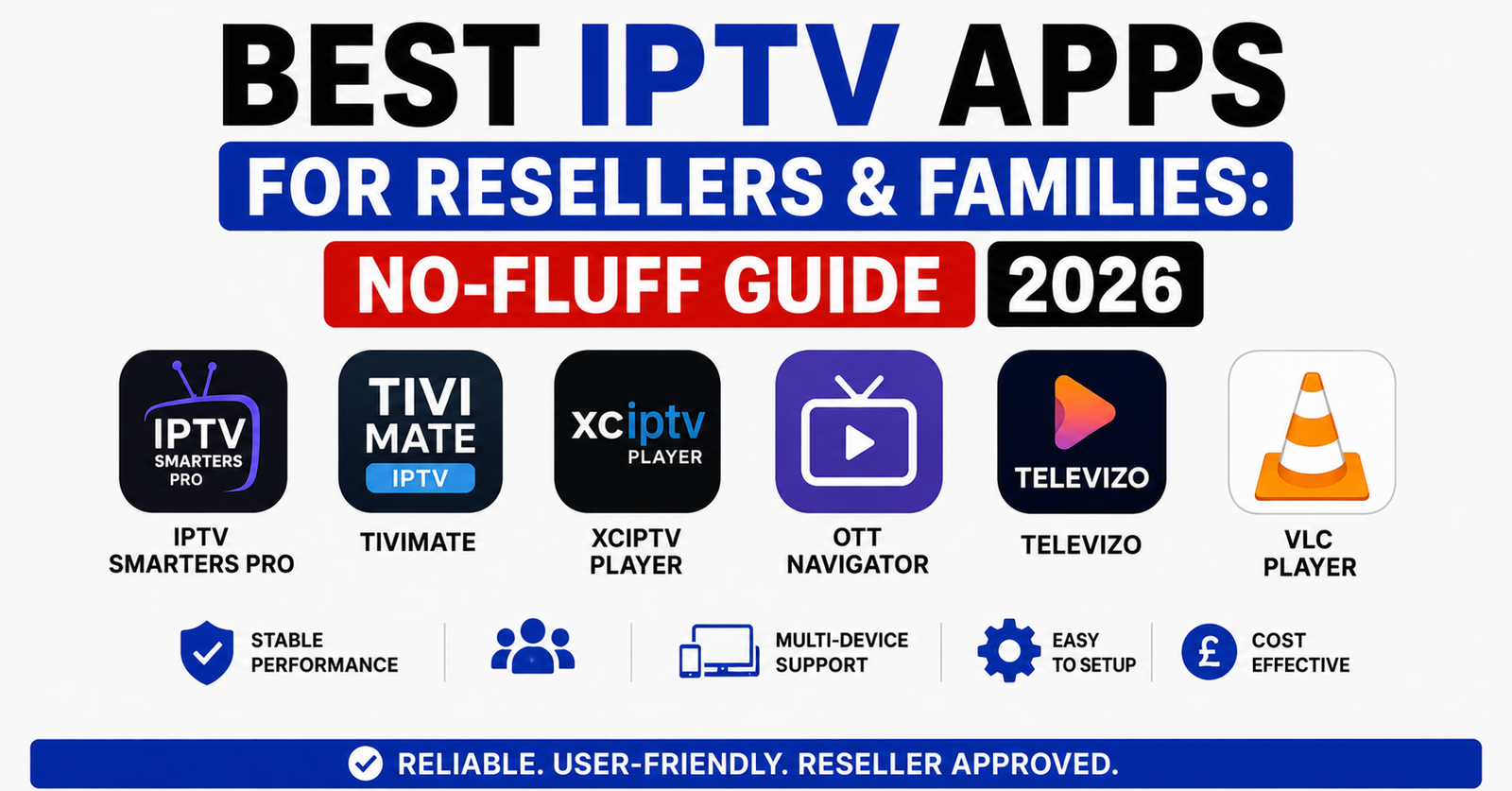

Here’s what most “best IPTV apps” roundups won’t tell you: the app itself is maybe 20% of the equation. The other 80%? That’s server architecture, CDN routing, EPG reliability, and whether the panel operator behind the scenes actually knows how to handle a Saturday night when half the country tunes into premium sports streams simultaneously.
I’ve watched resellers pour money into flashy apps with beautiful interfaces — and then lose 40% of their subscriber base within a month because the backend couldn’t hold. So before we rank anything, let’s agree on something: the best IPTV apps are the ones that perform when it matters, not the ones with the prettiest splash screen.
This guide is built from years of operating inside the IPTV reseller ecosystem. Every recommendation here has been pressure-tested — through ISP crackdowns, server migrations, and the kind of customer complaints that make your phone buzz at 3 a.m.
What Actually Makes the Best IPTV Apps Different in 2026
The landscape has shifted hard. In 2024, you could get away with a basic M3U player and a decent line. In 2026, that’s a death sentence. ISPs now deploy AI-driven deep packet inspection that identifies IPTV traffic patterns within minutes. The best IPTV apps have adapted — they’ve baked in protocol obfuscation, buffer management algorithms, and multi-source failover that older players simply don’t have.
What separates a top-tier app from a mediocre one comes down to a few non-negotiable factors:
- HLS latency handling — does the app pre-buffer intelligently, or does it choke the moment bandwidth dips below 15 Mbps?
- EPG integration — a broken programme guide destroys user experience faster than buffering does
- Multi-format codec support — H.265/HEVC is standard now; apps still stuck on H.264-only decoding are dinosaurs
- Connection persistence — how does the app behave when your ISP briefly drops the route? Crash, or silent reconnect?
Pro Tip: Before committing to any app for your reseller panel, run it for 72 hours straight on a low-bandwidth connection (under 10 Mbps). That stress test reveals more than any feature list ever will.
The Reseller’s Dilemma: Choosing Best IPTV Apps That Won’t Sink Your Business
If you’re running a reseller operation, your app recommendation is your brand. When a subscriber asks “which app should I use?” — whatever you tell them becomes your reputation. Point them towards something unstable and you’ll spend your evenings fielding complaints instead of growing your credit stack.
The mistake I see constantly: resellers picking apps based on what works on their own Firestick at home, on their own 100 Mbps fibre line. That’s not your customer’s reality. Your average subscriber is running a second-hand Android box on a shared broadband connection with three kids streaming YouTube simultaneously.
The best IPTV apps for resellers are the ones that perform in those conditions — not ideal ones.
| Factor | Weak App Choice | Strong App Choice |
|---|---|---|
| Buffer management | Fixed buffer, no adaptation | Dynamic buffer adjusting to bandwidth |
| ISP resistance | No VPN passthrough or obfuscation | Built-in DNS-over-HTTPS, protocol masking |
| EPG loading | Full EPG load on startup (slow) | Lazy-load EPG per category |
| Crash recovery | Restarts from scratch | Resumes last channel within 2 seconds |
| Codec handling | H.264 only | H.265 + fallback decoding |
| Multi-device | Single profile | Household profiles with parental locks |
That table alone should guide your decision-making. If the app you’re recommending fails on three or more of those columns, you’re setting your subscribers up for disappointment — and yourself up for churn.
Best IPTV Apps for Firestick Users: What the Market Actually Demands
Let’s be direct — Firestick dominates the IPTV hardware market in the UK and across Europe. Roughly seven out of ten subscribers your panel serves will be running some version of an Amazon Fire device. That means your best IPTV apps recommendation needs to be Firestick-optimised first, everything else second.
The challenge with Firestick is resource management. Even the 4K Max model has limited RAM, and IPTV apps compete with Amazon’s own background processes for memory. Apps that don’t manage their memory footprint aggressively will stutter, freeze, or outright crash during peak viewing.
What to look for in Firestick-compatible best IPTV apps:
- Lightweight APK size (under 25 MB installed is ideal)
- Background service termination when the app is paused
- Hardware-accelerated decoding enabled by default
- Sideload-friendly without requiring Google Play dependencies
Pro Tip: If your subscribers report random freezing on Firestick, it’s rarely the server. Nine times out of ten, it’s the app failing to release cached stream data. Recommend they clear the app cache weekly — or better yet, pick an app that handles garbage collection automatically.
Android Box vs. Smart TV vs. Mobile: Best IPTV Apps Aren’t One-Size-Fits-All
One of the biggest errors in every “best IPTV apps” article is treating every device the same. They’re not. An app that runs brilliantly on a Formuler Z11 Pro might be nearly unusable on a Samsung Tizen smart TV. The underlying operating systems handle streaming protocols differently, and app developers don’t always optimise across all platforms equally.
Here’s how to think about device-app pairing:
Android boxes (Formuler, BuzzTV, MAG): These are purpose-built. They handle Xtream Codes API connections natively and usually come with a pre-installed portal or player. For these, the best IPTV apps are ones that leverage the Xtream API directly rather than relying on M3U playlist parsing — it’s faster, lighter, and gives you proper catchup/VOD integration.
Smart TVs (Samsung, LG, Sony): App availability is limited. Most best IPTV apps aren’t available on proprietary app stores. You’re often stuck with browser-based solutions or casting. Recommend a Firestick add-on for these subscribers rather than fighting the smart TV ecosystem.
Mobile (iOS/Android): Surprisingly capable. Modern phones handle H.265 decoding with ease, and cellular networks in 2026 are fast enough for stable 1080p streams. The best IPTV apps on mobile need background playback support and picture-in-picture mode — subscribers want to watch while doing other things.
DNS Poisoning, Load Balancing, and Why Your App Keeps Buffering
Let’s get technical for a moment, because this is where most “best IPTV apps” guides fall flat. They blame the app for buffering. In reality, buffering is a system-level failure — and understanding where the bottleneck actually sits is what separates an informed reseller from someone just guessing.
The chain looks like this: Subscriber device → App → ISP network → DNS resolution → CDN/Server → Source uplink
Buffering can originate at any point in that chain. The app’s role is limited to how it handles interruptions and how aggressively it pre-buffers. But if the server’s uplink is saturated or the ISP is running DNS poisoning to redirect IPTV traffic to dead endpoints, no app in the world will fix that.
Pro Tip: If multiple subscribers report buffering simultaneously, it’s never the app. Check your panel’s server status first. If the server is fine, your provider’s uplink is likely congested — and it’s time to pressure them for backup uplink servers or switch providers entirely.
What the best IPTV apps can do is mitigate downstream issues:
- Adaptive bitrate switching — dropping from 1080p to 720p seamlessly rather than showing a loading wheel
- DNS-over-HTTPS — bypassing ISP-level DNS poisoning that blocks IPTV domain resolution
- Multi-server failover — if the primary server drops, the app silently switches to a backup without the subscriber noticing
These aren’t luxury features anymore. In 2026, they’re baseline requirements for any app worthy of being called one of the best IPTV apps.
Panel Credits, App Compatibility, and the Reseller Workflow Nobody Explains
Here’s where things get operational. You’ve got your panel. You’ve got your credits. You’ve got subscribers signing up. Now — which of the best IPTV apps actually integrates cleanly with your Xtream Codes or Stalker middleware panel?
Not all of them. Some apps only accept M3U URLs. That works, but it’s messy — you lose EPG syncing, you lose series/VOD categorisation, and your subscriber gets a flat, unsorted channel list that looks amateur.
The apps worth recommending are the ones that accept:
- Xtream Codes API login (server URL + username + password)
- MAC-based portal login (for Stalker/Ministra panels)
- M3U with EPG URL as a fallback only
From a reseller’s perspective, Xtream API-compatible apps are non-negotiable. They let your subscribers see the panel exactly as you’ve organised it — categories, channel order, VOD libraries, series sections, catchup TV. That’s your product presentation. An M3U dump is just a wall of text.
Pro Tip: When a subscriber says “the app doesn’t show my channels properly,” check whether they entered the M3U URL instead of the API credentials. This single mistake causes more support tickets than actual server issues. Include clear setup instructions with every subscription you sell — it pays for itself in reduced headaches.
What ISP Blocking Trends Mean for Your Best IPTV Apps in 2026
The enforcement landscape has tightened dramatically. ISPs across the UK and Europe are now using court-ordered blocking injunctions that go beyond simple domain blocking. They’re deploying real-time traffic analysis that can identify IPTV streaming patterns even when the domain is obscured.
What does this mean for the best IPTV apps? It means the app itself needs to participate in evasion — not just the VPN layer.
Specifically, apps that route through standard HTTPS on port 443 are harder to fingerprint than those using non-standard ports. Apps that fragment their stream requests across multiple short-lived connections are harder to pattern-match than those maintaining a single persistent TCP stream.
This isn’t theoretical. Resellers operating in regions with aggressive ISP enforcement have reported 30–40% fewer blocking incidents when their subscribers use apps with built-in traffic obfuscation versus generic players that send requests in predictable patterns.
The practical takeaway: when evaluating the best IPTV apps, don’t just look at the feature list. Ask the developer — or test yourself — whether the app’s traffic pattern survives a DPI-enabled ISP. If it doesn’t, your subscribers in restrictive regions will churn faster than you can replace them.
Household Subscribers Want Simplicity — Best IPTV Apps Must Deliver That
Not everyone using your service is tech-savvy. In fact, most household subscribers — the family accounts, the parents, the grandparents — just want to turn on the box and watch telly. They don’t care about codecs or buffer algorithms. They care about three things: does it work, is the picture clear, and can they find their channels.
The best IPTV apps for household subscribers share common traits:
- Simple, TV-friendly interface with large tiles and clear category labels
- Favourites system that remembers their preferred channels
- Parental controls that actually lock properly (not just a cosmetic PIN)
- Auto-start on boot — so the app launches when the device turns on, no navigation required
If you’re a reseller targeting family subscriptions, your app recommendation should prioritise usability over power features. The subscriber who needs manual codec selection and buffer size adjustment is one in fifty. The other forty-nine just want it to work like normal television.
Pro Tip: Create a one-page PDF setup guide for each app you recommend — screenshots, step-by-step, written for someone who has never sideloaded anything before. Attach it to every subscription confirmation email. This single step can cut your support load by half.
Customer Churn Psychology: How the Wrong App Destroys Retention
Churn in IPTV reselling isn’t always about price. It’s about friction. And nothing creates friction faster than a bad app experience. A subscriber who pays £10 a month and has a smooth experience will renew indefinitely. A subscriber who pays £5 a month but deals with crashes, missing EPG data, and confusing interfaces will leave within 60 days.
The best IPTV apps directly impact your retention metrics. Here’s how:
First 48 hours matter most. If a new subscriber can’t get the app working within the first two days, they mentally classify your service as “dodgy” — and they’ll either ask for a refund or simply not renew. That’s why app setup simplicity is a revenue issue, not just a UX issue.
Perceived quality = app quality. Your server could be delivering 50 Mbps of crystal-clear 1080p content, but if the app’s interface looks like it was designed in 2016, the subscriber’s perception of quality drops. Humans are visual. A polished app makes your service feel premium — even if the backend is identical to a competitor’s.
Word of mouth is app-driven. When a happy subscriber recommends your service to a mate, they don’t say “the server uptime is 99.7%.” They say “it’s dead easy — you just open the app and everything’s there.” The best IPTV apps turn your subscribers into salespeople. Bad apps turn them into critics.
Scaling From 50 to 500 Lines: Best IPTV Apps That Grow With You
Early-stage resellers can get away with recommending whatever app they personally use. But once you cross 100 active lines, consistency matters. You need to standardise on one or two apps maximum — otherwise your support burden becomes unmanageable.
At scale, the best IPTV apps are the ones with:
- Consistent update cycles — apps that haven’t been updated in six months are ticking time bombs
- Active developer community or support — when something breaks after an Android OS update, you need a fix within days, not months
- Remote configuration support — some apps allow resellers to push default settings (server URL, buffer size, EPG source) so subscribers don’t have to configure anything manually
- Multi-connection stability — can the app handle 500 concurrent users on the same panel without each instance degrading the others? That’s a server question too, but the app’s connection handling plays a role
Pro Tip: Before scaling past 200 lines, test your recommended app with your panel provider under simulated load. Ask them to spin up 200 test connections simultaneously. If the app starts dropping streams or the EPG fails to load, you’ve found your ceiling — and it’s better to find it in a test than during a live match night.
Frequently Asked Questions
How do I know if an IPTV app is compatible with my reseller panel?
Check whether the app supports Xtream Codes API login — this is the most reliable integration method. If the app only accepts M3U URLs, you’ll lose category sorting, VOD structure, and catchup functionality. Test the connection with your panel credentials before recommending the app to any subscriber.
Why do some of the best IPTV apps still buffer on fast internet connections?
Buffering on fast connections usually points to server-side congestion, DNS poisoning by the ISP, or the app using a fixed buffer size that doesn’t adapt to network fluctuations. Switch to an app with adaptive bitrate and DNS-over-HTTPS to rule out app-level causes before blaming your provider.
Can I use the same IPTV app on Firestick and smart TV?
Not always. Most best IPTV apps are Android-based APKs that run natively on Firestick but aren’t available on Samsung Tizen or LG WebOS. For smart TVs, either sideload via a USB method if supported, or connect a Firestick to the TV’s HDMI port for a more reliable experience.
What’s the difference between M3U and Xtream Codes API in IPTV apps?
M3U is a flat playlist file containing channel URLs. Xtream Codes API is a structured login system that syncs categories, EPG, VOD, and series directly from the panel. API connections are faster, more organised, and easier for subscribers to navigate — always prefer API-compatible best IPTV apps.
How often should IPTV apps be updated for optimal performance?
Look for apps updated at least once every two to three months. Android OS updates, codec changes, and evolving ISP blocking techniques mean that stale apps gradually degrade. If your recommended app hasn’t been updated in over six months, start evaluating alternatives before your subscribers notice the decline.
Is a VPN always necessary when using IPTV apps?
It depends on your ISP and region. In areas with active court-ordered blocking, a VPN is essential. However, some of the best IPTV apps now include protocol obfuscation that reduces the need for a separate VPN. Test without one first — if streams load fine, you may not need the added complexity and speed reduction.
How many devices can typically run one IPTV subscription simultaneously?
Most reseller panels limit each line to one active connection at a time. Some providers offer multi-connection lines at a higher credit cost. If household subscribers want to watch on two TVs simultaneously, you’ll need to either sell them two lines or find a provider offering multi-device plans natively.
What should I do if my subscribers report the app crashing on older devices?
Older devices often lack sufficient RAM or updated Android versions. Recommend lightweight apps under 25 MB that support hardware-accelerated decoding. If crashes persist, suggest clearing the app cache, disabling background processes, or upgrading to a device with at least 2 GB RAM and Android 10 or above.
Your Reseller Execution Checklist
- Stress-test every app on a sub-10 Mbps connection for 72 hours before recommending it to anyone
- Standardise on no more than two best IPTV apps across your entire subscriber base to keep support manageable
- Always recommend Xtream Codes API login over M3U — it’s cleaner, faster, and makes your panel look professional
- Build a one-page setup guide with screenshots for each recommended app and attach it to every subscription email
- Test your chosen app under simulated load with your panel provider before scaling past 200 active lines
- Monitor app update frequency — if your recommended app goes six months without an update, start trialling replacements immediately
- Run a quarterly check on ISP blocking patterns in your key markets and ensure your app handles DNS-over-HTTPS and traffic obfuscation
- Track churn against app type — if subscribers on one app churn faster than those on another, you’ve found a problem worth fixing
- Visit BritishSeller for tested panel infrastructure and reseller resources built around reliability, not hype