
There’s a moment every reseller remembers. Saturday evening, a big match is about to kick off, and your panel goes dark. The Telegram group erupts. Credits are haemorrhaging. You’re SSH’d into three servers, sweating through a DNS misconfiguration you should have caught two weeks ago.
That’s the real cost of a sloppy IPTV portal setup. Not a theoretical risk. A recurring nightmare.
This article exists because most guides treat IPTV portal setup like a plug-and-play affair — install a script, point a domain, sell credits. Anyone who’s survived a full season running a reseller panel knows better. What separates panels that collapse after sixty days from those still standing after three years isn’t branding or pricing. It’s the infrastructure beneath the portal and the operator’s willingness to obsess over the details nobody sees.
We’re going to walk through every layer of a functional, resilient IPTV portal setup — from the server architecture decisions you make on day one, through DNS hardening, panel credit economics, and the subscriber retention mechanics that most operators learn about far too late.
What Actually Constitutes an IPTV Portal Setup in 2026
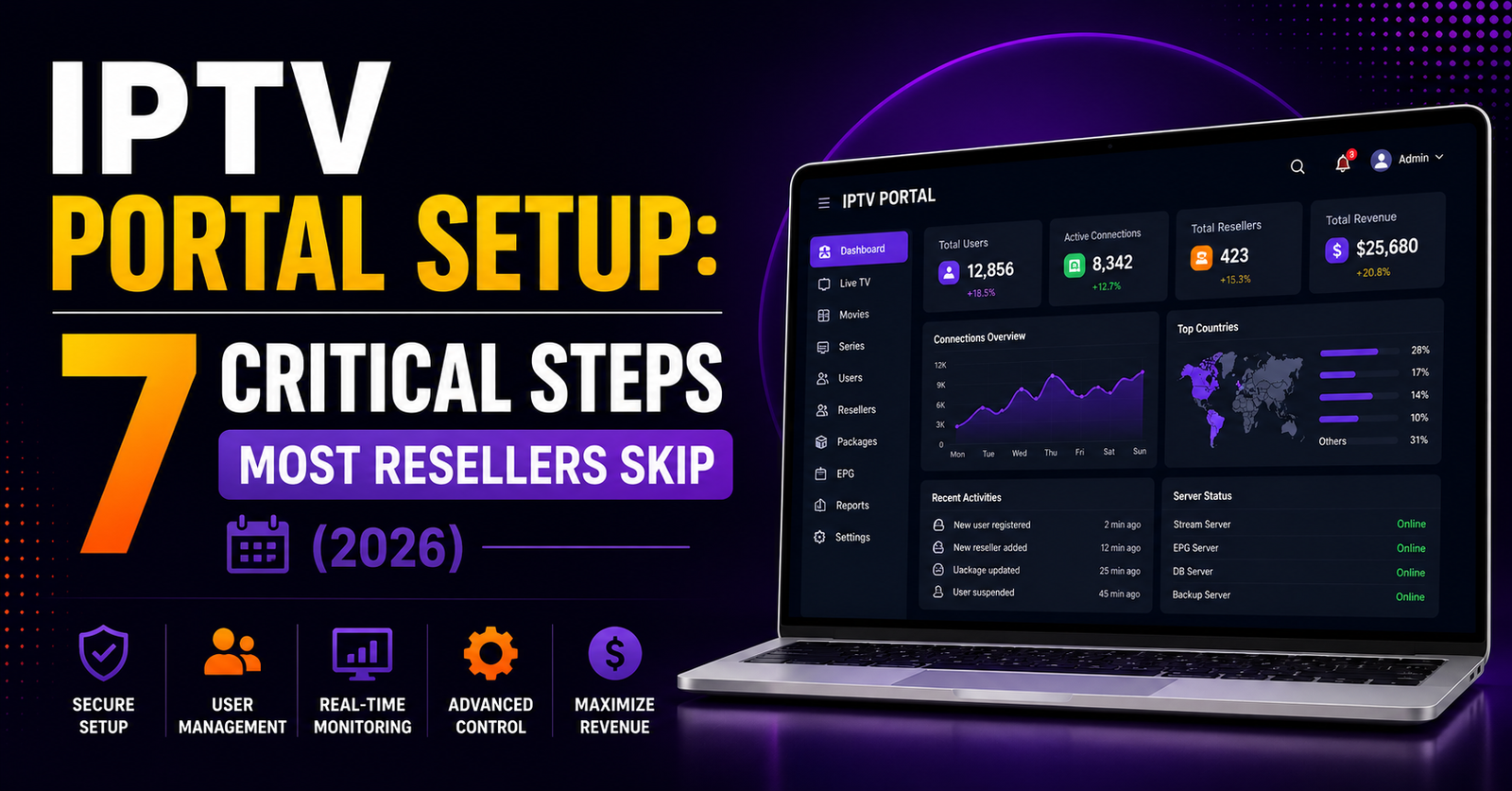
Let’s kill a misconception early. An IPTV portal setup isn’t just a web dashboard bolted onto a media server. In 2026, it’s a layered system — a control plane that sits between your content uplinks and your downstream IPTV resellers or subscribers, handling authentication, stream routing, EPG injection, billing logic, and abuse mitigation simultaneously.
Think of it as the cockpit. The streams themselves are the engines. Your IPTV portal setup determines who can access what, for how long, at what quality tier, and what happens when something breaks. Weak portals expose every problem downstream. A solid setup absorbs shocks.
Pro Tip: Before you touch a single server, map out your panel hierarchy on paper. How many tiers of resellers will you support? Will sub-resellers create their own lines? Deciding this after deployment forces painful database migrations later.
Choosing the Right Server Stack Before You Even Install a Panel
Most failed reseller operations trace back to the same root: the operator chose hosting based on price, not topology. Your IPTV portal setup lives or dies by three infrastructure decisions — and you make all three before a single subscriber connects.
The three pillars:
- Main panel server — CPU-heavy, low-latency, ideally in a jurisdiction that doesn’t respond to takedown notices within hours. This runs your Xtream Codes API or equivalent middleware.
- Load balancer node — Sits in front of your streaming servers, distributing HLS and MPEG-TS sessions. Without this, a spike during any popular event will crater your portal.
- Backup uplink server — The one nobody budgets for, and the one that saves your business. When your primary content source drops, this kicks in.
| Decision | Budget Approach | Professional Approach |
|---|---|---|
| Panel hosting | Shared VPS, single location | Dedicated bare-metal, dual-location |
| Load balancing | None — single server handles all | HAProxy or Nginx-based distribution |
| Backup uplinks | “We’ll deal with it later” | Pre-configured failover with health checks |
| DNS | Free Cloudflare plan, no redundancy | Multi-provider DNS with TTL tuning |
If you’re running an IPTV portal setup on a $12/month VPS, you’re not building a business. You’re renting a countdown timer.
DNS Architecture That Survives ISP Intervention
Your IPTV portal setup needs a DNS strategy that accounts for this. A single A-record pointing to your panel IP is no longer viable for any serious operation.
What operators running stable panels are doing now:
- Rotating subdomains with short TTLs (60–120 seconds), managed through API-driven DNS providers
- GeoDNS routing so that UK subscribers resolve to UK-proximate servers while European users hit continental nodes
- DNS-over-HTTPS fallback instructions pushed to subscribers through the portal itself, ensuring that even when local ISP resolvers are poisoned, the end user can still reach the panel
Pro Tip: DNS poisoning doesn’t always look like a total outage. Sometimes your panel loads but streams don’t start — because the ISP is selectively poisoning the stream-server hostnames while leaving the portal domain alone. Monitor both independently.
The Credit Economy — Pricing Your IPTV Portal Setup for Margin, Not Volume
Credit pricing is where most new resellers either bleed out slowly or price themselves into irrelevance. Your IPTV portal setup should enforce pricing tiers at the infrastructure level, not through gentleman’s agreements with your sub-resellers.
There’s a psychology to credit pricing that gets ignored. Sell credits too cheaply, and your resellers undercut each other in a race to the bottom, dragging your brand into the bargain-bin perception. Price too high, and they drift to a competitor panel that offers more lines per credit.
The sweet spot framework:
- Calculate your per-line cost (server + bandwidth + uplink + support overhead)
- Add a 40–60% margin for the reseller tier
- Build in a volume discount that only activates at thresholds high enough to matter (e.g., 100+ credits)
- Lock pricing changes behind a 7-day notice period within your portal — sudden price hikes destroy trust faster than downtime
Your IPTV portal setup should also track credit velocity. If a reseller burns through 200 credits in an hour, that’s either a very good day or someone’s running an automated resale bot that’s about to attract attention you don’t want.
Panel Permissions and Reseller Hierarchy — Getting the Tiers Right
A mistake operators make during IPTV portal setup is treating all resellers identically. A reseller moving 20 lines a month has entirely different needs, risks, and support expectations than one managing 2,000.
Effective panel hierarchy looks like this:
- Tier 1 (Master reseller): Full access to sub-reseller creation, bulk line generation, custom bouquet management. These operators are essentially running their own micro-panels under your infrastructure.
- Tier 2 (Standard reseller): Can create end-user lines, manage renewals, access basic analytics. Cannot create sub-resellers or modify bouquets.
- Tier 3 (Retail reseller): Limited to individual line creation and renewal. No API access, no bulk tools.
Each tier should have different credit costs, different API rate limits, and different support SLAs. Your IPTV portal setup must enforce these at the software level. Relying on trust and Telegram agreements is how panels collapse into chaos once they pass the 50-reseller mark.
Pro Tip: Give Tier 1 resellers their own branded login URL on a subdomain you control. It costs you nothing, it makes them feel invested, and it reduces the chance they’ll migrate to a competing panel — because their own downstream resellers are locked into that URL.
HLS Latency and Buffering — The Silent Subscriber Killer
You can nail every element of your IPTV portal setup and still lose subscribers to buffering. The portal might be flawless, but if the stream delivery chain has latency issues, your support inbox fills up and your resellers start shopping around.
HLS latency in a well-configured IPTV portal setup should sit below 8 seconds end-to-end. In practice, most budget operations are running 15–25 seconds of latency, which means the subscriber watching a live match is hearing their neighbour celebrate a goal a full fifteen seconds before they see it. That’s the kind of experience that drives cancellations.
Where the latency hides:
- Segment duration — Default HLS segments are often set to 10 seconds. Cutting to 4–6 seconds reduces latency but increases server load. Your IPTV portal setup needs to account for the CPU overhead.
- Transcoding pipeline — If you’re re-encoding streams rather than passing through the source, each transcoding layer adds 2–4 seconds.
- CDN caching — Overly aggressive cache TTLs on stream segments introduce staleness. Too short, and your origin server gets hammered.
| Factor | High Latency Setup | Optimised Setup |
|---|---|---|
| HLS segment length | 10 seconds | 4–6 seconds |
| Transcoding layers | 2+ re-encodes | Single passthrough or 1 transcode |
| CDN cache TTL | 30+ seconds | 4–8 seconds, edge-validated |
| Output buffer | Large kernel buffer | Tuned TCP window scaling |
Handling Subscriber Churn Before It Becomes a Trend
Churn isn’t a metric most IPTV resellers track until it’s too late. They notice it as a vague sense that “things are slower this month” — fewer credit purchases, fewer renewal requests. By that point, you’ve already lost the subscribers who would have been easiest to retain.
Your IPTV portal setup should include automated churn indicators. Some panels support expiry notification webhooks — use them. Push renewal reminders 48 hours and 12 hours before a line expires. Not through email. Through the portal app notification or the EPG overlay itself, where the subscriber will actually see it.
The three biggest churn drivers in order:
- Buffering during peak events — nothing else comes close
- EPG mismatches — when the guide says one programme but the stream shows another, subscribers lose confidence in the entire service
- Payment friction — if renewing requires a subscriber to contact a reseller on Telegram, wait for a response, send crypto, and then wait again, you’ve built a churn machine
Pro Tip: The cheapest retention tool in your IPTV portal setup is a 24-hour grace period after expiry. Don’t cut the line the instant it expires. Give the subscriber a day of degraded service — SD only, limited channels — with a renewal banner. It converts better than a hard cutoff.
Scaling Beyond 500 Lines Without Everything Breaking
There’s a threshold around 400–600 active connections where an IPTV portal setup built for “small operation” starts showing cracks. Database queries slow down. The panel dashboard takes 8 seconds to load. Resellers complain that line creation is lagging.
This is where you either re-architect or you plateau. Most operators plateau.
Scaling past this threshold requires:
- Database optimisation — Move from SQLite or default MySQL configs to a properly tuned MariaDB instance with query caching enabled. Index your active_connections and user_expiry columns.
- Separating the panel from the streams — Your IPTV portal setup should never serve panel API requests and stream content from the same machine. The workloads have completely different profiles — one is I/O heavy, the other is CPU/bandwidth heavy.
- Horizontal load distribution — Add streaming nodes in different geographic regions. Use your panel’s built-in load balancer or deploy a standalone Nginx reverse proxy with upstream health checks.
The operators who survive past 1,000 lines are the ones who treated their IPTV portal setup like a distributed system from the beginning, even when they only had 50 subscribers.
Security Hardening — Protecting Your IPTV Portal Setup From the Inside Out
The threats to your panel aren’t just external. Disgruntled resellers, credential stuffing bots, and automated scraping tools all target the portal layer. A compromised IPTV portal setup doesn’t just leak subscriber data — it exposes your entire server topology.
Non-negotiable security steps:
- Rate-limit the API — No reseller needs to make 500 API calls per minute. Set sane limits and block abusive patterns automatically.
- Enforce HTTPS everywhere — Not just on the login page. Every API call, every stream URL, every EPG fetch. Mixed content is a vulnerability vector.
- Rotate admin credentials monthly — Use a password manager. If your master panel password is still the one you set during initial IPTV portal setup, you’re overdue.
- Geo-restrict panel admin access — Your admin login should only be reachable from specific IP ranges. SSH access should be key-only, port-changed, and fail2ban-protected.
Pro Tip: Set up a Telegram bot that alerts you whenever a new admin session is initiated or whenever a reseller’s credit balance changes by more than a set threshold. These real-time alerts have caught compromised accounts within minutes for operators who use them.
EPG Management — The Detail That Separates Amateur Panels From Professional Ones
EPG — the electronic programme guide — is the single most under-invested component in most IPTV portal setups. Operators spend days configuring servers and minutes on EPG, then wonder why subscribers complain that the guide is wrong, empty, or offset by an hour.
A proper EPG pipeline within your IPTV portal setup involves:
- Sourcing reliable XMLTV feeds (multiple sources, with automated fallback)
- Mapping channel IDs correctly — a manual process that most operators get wrong because they rush it
- Scheduling automated EPG refreshes every 12–24 hours through cron jobs or the panel’s built-in scheduler
- Timezone normalisation — your source EPG might be in UTC, but your subscribers expect local time
Skipping EPG setup doesn’t just make your service look unprofessional. It actively drives churn. Subscribers who can’t see what’s on won’t browse channels, won’t discover content, and won’t feel like they’re getting value — even if the stream quality is perfect.
Frequently Asked Questions
How long does a complete IPTV portal setup take from scratch?
A basic IPTV portal setup can be functional within 4–6 hours if you’re experienced with server administration and panel software. However, a production-ready deployment — with proper DNS hardening, load balancing, EPG mapping, and credit tier configuration — typically takes 2–3 days of focused work. Rushing the initial setup almost always creates problems that take longer to fix than doing it properly the first time.
Can I run an IPTV portal setup on shared hosting?
Technically yes, practically no. Shared hosting lacks the root access needed for proper server tuning, doesn’t support the persistent processes that panel software requires, and shares resources with other tenants — meaning your portal slows down based on someone else’s traffic. A dedicated VPS with at least 4GB RAM and 2 vCPUs is the minimum viable starting point.
What’s the biggest risk during IPTV portal setup that new operators overlook?
Single points of failure. Most new operators configure one DNS provider, one server, one uplink source, and one payment method. When any single element fails, the entire operation goes offline. Building redundancy into every layer during the initial IPTV portal setup is cheaper than retrofitting it after a catastrophic outage.
How do I prevent my resellers from undercutting each other after IPTV portal setup?
Set minimum retail price guidelines in your reseller terms and enforce them. More importantly, structure your credit pricing so that the margin at each tier only works if the reseller sells at or above a certain price point. Some panel software allows you to set suggested retail pricing that’s visible to resellers during line creation — use it.
Is DNS-over-HTTPS necessary for an IPTV portal setup in 2026?
Increasingly, yes. AI-driven ISP filtering now targets standard DNS queries with pattern recognition that identifies IPTV-related resolution behaviour. Providing your subscribers with DoH configuration instructions — or embedding DoH resolution directly into your branded apps — adds a layer of resilience that standard DNS setups no longer offer.
How often should I update my IPTV portal setup after initial deployment?
Panel software updates, security patches, and EPG source reviews should happen weekly at minimum. Full infrastructure audits — including load testing, DNS health checks, and backup verification — should occur monthly. Treat your IPTV portal setup as a living system, not a one-time installation.
What’s the minimum internet speed a subscriber needs for a stable experience?
For SD content, 5 Mbps is sufficient. HD streams require 15–25 Mbps of consistent throughput, and 4K content demands 50 Mbps or higher. The key word is consistent — a connection that peaks at 100 Mbps but drops to 3 Mbps during congestion will buffer regardless. Advise subscribers to test with a wired connection before reporting issues to your panel.
Can I migrate an existing IPTV portal setup to a new server without losing subscriber data?
Yes, if your panel software supports database export and import — most do. The critical steps are exporting the full MySQL/MariaDB database, copying configuration files and custom scripts, updating DNS records to point to the new server, and verifying EPG mappings post-migration. Schedule migrations during low-traffic hours and keep the old server running in parallel for at least 48 hours as a fallback.
IPTV Portal Setup — The Reseller’s Success Checklist
☑ Audit your server stack before installing any panel software — bare-metal beats shared VPS every time
☑ Configure multi-provider DNS with short TTLs and GeoDNS routing from day one of your IPTV portal setup
☑ Set up a dedicated backup uplink server with automated health-check failover
☑ Define your reseller tier structure and enforce it through panel permissions, not verbal agreements
☑ Price credits based on calculated per-line costs plus margin — not based on what the cheapest competitor charges
☑ Tune HLS segment duration to 4–6 seconds and eliminate unnecessary transcoding layers
☑ Deploy automated expiry reminders and a 24-hour grace period to reduce subscriber churn
☑ Separate your panel server from your streaming servers before you hit 500 active lines
☑ Harden security with API rate limiting, HTTPS everywhere, geo-restricted admin access, and real-time alert bots
☑ Build a reliable EPG pipeline with multiple XMLTV sources, correct channel ID mapping, and automated refresh schedules
☑ Treat your IPTV portal setup as a distributed system from the start — even if you’re starting small
For a hands-on walkthrough of panel credit systems, IPTV reseller onboarding, and live infrastructure support, visit britishreseller.com — built by operators who’ve been through every outage, ban wave, and scaling challenge the industry throws at you.