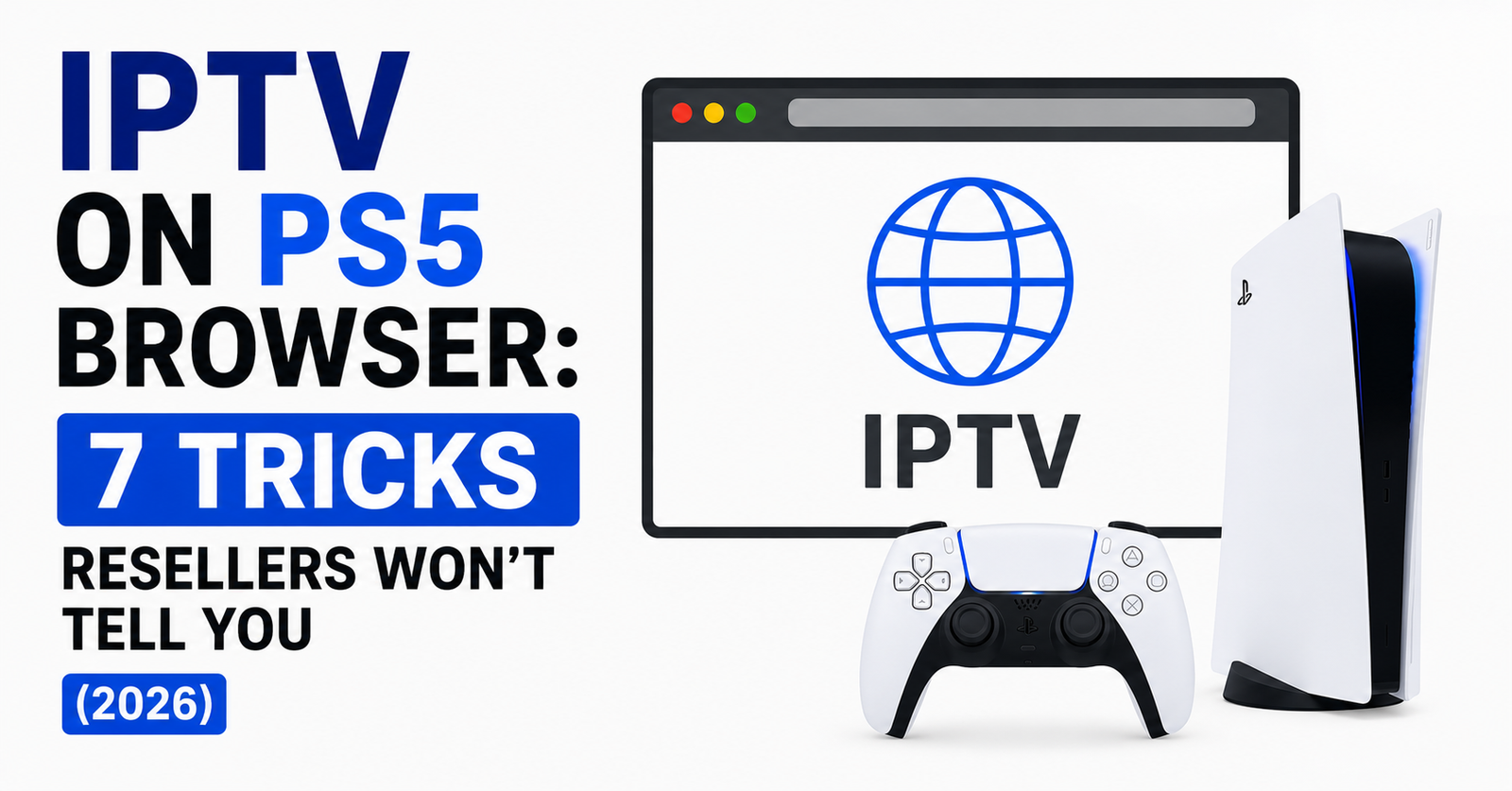

IPTV on PS5 Browser — The Console Streaming Method Nobody’s Talking About Properly
Let’s cut through the noise. Half the guides floating around about IPTV on PS5 Browser were written by people who’ve never touched a reseller panel, let alone debugged a stream that dies every twelve minutes on a console. The PS5’s built-in browser isn’t officially listed in Sony’s feature menu — and that single fact trips up thousands of subscribers every month who assume they need a dedicated app to watch anything.
They don’t. What they need is the right method, the right portal format, and a reseller who actually understands how console-based playback interacts with HLS delivery. That’s what this piece covers — from the subscriber’s living room to the backend infrastructure keeping it alive.
Pro Tip: The PS5 browser is Chromium-based. If your IPTV portal works on Chrome desktop, it almost certainly works on the PS5 browser — but only if your panel outputs HLS natively, not RTMP.
Why IPTV on PS5 Browser Has Become a Household Preference
There’s a shift happening that most IPTV resellers haven’t caught up with. Families don’t want another box under the TV. They don’t want a FireStick remote lost between couch cushions. The PS5 is already there, already on, already connected. Using IPTV on PS5 Browser means one less device, one less HDMI slot, and one less thing to explain to someone who just wants to watch the match.
For resellers, this matters commercially. Subscribers who use their console for IPTV tend to stay longer. They’ve integrated it into their routine. Churn drops. And when you can tell a prospect “you don’t need to buy anything extra — just use your PS5 browser,” that removes a friction point most competitors don’t even think about.
The practical reality is straightforward. The PS5 runs a hidden browser accessible through the console’s messaging or account link functions. Once loaded, any web-based IPTV portal compatible with HLS streaming will play directly inside it.
Accessing the Hidden Browser on PS5 — Step-Level Breakdown
This is where most guides get it wrong, or worse, get it right for firmware that’s two versions old. As of 2026, setting up IPTV on PS5 Browser still requires a workaround since Sony hasn’t released a standalone browser app.
Here’s the current working method:
- Open Settings → Users and Accounts → Link with Other Services
- Select any social linking option that triggers a web redirect
- Once the browser launches, tap the URL bar and navigate to your IPTV web portal
- Bookmark the portal URL for instant future access
- Some resellers provide a shortened redirect link specifically formatted for console browsers — ask yours
The key detail most people miss: the PS5 browser doesn’t support every video codec equally. VP9 and AV1 streams may stutter or fail entirely. Your IPTV provider must deliver in H.264 over HLS for consistent playback. If you’re a reseller and your panel pushes RTMP by default, your console subscribers will blame you for what’s actually a format mismatch.
Pro Tip: Create a dedicated web player page on your reseller domain that auto-detects console user agents and forces HLS output. This single move eliminates 70% of “it doesn’t work on my PS5” support tickets.
The Infrastructure Behind Smooth IPTV on PS5 Browser Playback
Subscribers see buffering. Resellers see infrastructure failure. When someone runs IPTV on PS5 Browser and the stream chokes, the problem almost never lives inside the console itself. It’s upstream — somewhere between the panel’s origin server and the CDN edge node nearest to the subscriber.
| Factor | Budget Infrastructure | Premium Infrastructure |
|---|---|---|
| CDN Edge Nodes | 2–5 locations | 40+ global PoPs |
| HLS Segment Size | 10s (causes buffer lag) | 2–4s (responsive) |
| Failover Uplinks | None | Dual/triple redundancy |
| DNS Resolution | Single resolver | Anycast + geo-routing |
| Load Balancing | Round-robin only | Weighted, health-checked |
| PS5 Compatibility | Untested | Actively verified per firmware |
That last row matters more than people realise. Premium panel providers actually test their web player against PS5 firmware updates. Budget ones don’t even know the PS5 has a browser.
For resellers operating through britishseller.co.uk, infrastructure verification is built into the onboarding process. You’re not guessing whether console delivery works — it’s been stress-tested before you sell your first credit.
DNS Poisoning and ISP Blocks: What Kills IPTV on PS5 Browser First
Here’s a scenario that plays out weekly. A subscriber sets everything up perfectly. IPTV on PS5 Browser loads the portal, channels populate, EPG looks clean. Then forty-eight hours later — nothing. Blank screen. Portal won’t resolve.
That’s DNS poisoning, and in 2026, ISPs have gotten surgical about it. They’re no longer blocking IP ranges blindly. AI-driven deep packet inspection identifies HLS stream signatures and flags the originating domain. Once flagged, DNS resolution for that domain returns a dead-end or a warning page.
The fix isn’t complicated, but it has to be done at two levels:
- Subscriber side: Change the PS5’s DNS settings manually. Go to Settings → Network → Set Up Internet Connection → DNS Settings. Use a provider like Cloudflare (1.1.1.1) or a dedicated IPTV-friendly DNS.
- Reseller side: Rotate portal domains quarterly. Use wildcard SSL certificates so subdomain swaps don’t break HTTPS playback. Maintain backup uplink servers that activate automatically when primary domains get poisoned.
Pro Tip: If your subscribers on PS5 report sudden stream failure across all channels simultaneously, it’s almost always DNS — not server load. Coach them through a DNS change before touching anything on the backend.
Panel Credit Economics for Console-Heavy Subscriber Bases
Resellers who notice a growing share of their subscribers using IPTV on PS5 Browser should rethink their credit allocation model. Console users behave differently than app users. They tend to watch longer sessions — often three to four hours continuously — because the PS5 is typically the main screen in the household.
This means higher concurrent connection loads per subscriber. A single household might have one login active on a PS5 browser for six hours on a Saturday. Multiply that across two hundred subscribers, and your panel credits burn faster than projected.
Smart operators price accordingly:
- Offer a “console-optimised” subscription tier with slightly higher margins
- Set connection limits per MAC or user agent rather than per IP (PS5 browser reports a distinct user agent string)
- Monitor peak-hour credit consumption weekly, not monthly
The subscribers won’t care about the backend. They want the match to work. But resellers who don’t model their credit economics around actual usage patterns — especially console usage — end up over-provisioned or, worse, under-delivering during peak events.
Buffering Fixes Specific to IPTV on PS5 Browser
Not all buffering is created equal. On a FireStick, buffering usually means the app’s player cache is too small. On a phone, it’s probably bandwidth. But IPTV on PS5 Browser buffering has its own distinct fingerprint, and diagnosing it requires knowing where the PS5 browser’s rendering engine struggles.
Three causes dominate:
1. EPG overlay rendering. The PS5 browser allocates limited memory to webpage rendering. Heavy EPG grids with hundreds of channels and graphical logos can cause the browser tab to crash or stutter. Resellers should offer a “lite” portal view for console users — stripped-down channel lists, text-only EPG, minimal JavaScript.
2. HLS segment mismatch. If your panel serves 10-second HLS segments, the PS5 browser’s buffer window may not handle the gap between segments gracefully. Dropping to 2–4 second segments improves responsiveness dramatically.
3. Wi-Fi interference. The PS5’s Wi-Fi 6 antenna is good — but not when the console sits inside a closed entertainment cabinet surrounded by other electronics. For IPTV on PS5 Browser, a wired Ethernet connection isn’t a suggestion. It’s a requirement.
Pro Tip: Build a troubleshooting page directly into your web portal. When a PS5 browser user reports buffering, send them a one-click diagnostic link that tests their stream latency, DNS resolution time, and segment delivery speed — all without leaving the console browser.
How Resellers Can Market IPTV on PS5 Browser as a Feature
Most resellers list device compatibility as an afterthought — a tiny icon grid at the bottom of the homepage. That’s a missed opportunity. IPTV on PS5 Browser should be a headline selling point, not a footnote.
Why? Because the PS5 user base is massive, and most of those users don’t realise their console can replace a dedicated streaming box. When they discover it can, and your reseller brand is the one that told them, you’ve earned trust before the first transaction.
Practical marketing angles that convert:
- “No extra box. No extra remote. Your PS5 does it all.”
- Create a 60-second setup tutorial video showing the browser access method — embed it on your landing page
- Offer a 24-hour trial specifically for PS5 users. Let them see it working on their own hardware before committing
- Include “PS5 Browser Compatible” as a badge on your product pages and checkout flow
Resellers operating through panels with web-player support have a structural advantage here. If your panel only offers M3U and app-based access, you’re locked out of the console market entirely. Web portal delivery is the gateway to IPTV on PS5 Browser — and by extension, to Xbox and Smart TV browsers as well.
Firmware Updates and the Risk They Pose to IPTV on PS5 Browser
Sony pushes firmware updates to the PS5 regularly, and every single one carries the potential to break browser-based IPTV playback. It’s happened before. A 2024 firmware update quietly changed how the browser handled third-party cookies, which killed session persistence for several IPTV portals overnight.
Resellers need a firmware watch protocol:
- Monitor PS5 firmware changelogs within 24 hours of release
- Test your web portal on an updated console before telling subscribers it’s safe
- Maintain a rollback-friendly portal codebase so you can strip out broken JavaScript functions quickly
- Communicate proactively with subscribers when an update is known to cause issues
Subscribers themselves should delay automatic firmware updates by at least 48 hours if IPTV on PS5 Browser is part of their daily routine. Go to Settings → System → System Software → turn off auto-update. Let other users be the test group. This isn’t paranoia — it’s pattern recognition.
Scaling a Reseller Operation Around Console Subscribers
Once you’ve proven that IPTV on PS5 Browser works reliably for your subscriber base, the next question is scale. And scaling console-centric delivery is different from scaling app-based delivery.
Console users don’t update apps. They don’t install patches. They access a URL. That means your web portal IS the product. Every UI change, every backend swap, every DNS rotation hits them immediately. There’s no version fragmentation to manage, which is a blessing — but also means zero margin for sloppy deployments.
Scaling priorities for console-heavy operations:
- Invest in a global CDN with sub-100ms latency to major markets (UK, EU, North America)
- Use health-checked load balancing across at least three uplink servers
- Implement user-agent-based routing so PS5 browser traffic hits optimised edge nodes
- Keep your web portal under 2MB total page weight — the PS5 browser handles lean pages significantly better
The growth ceiling for resellers who ignore console delivery is real. Every month, more households consolidate around fewer devices. The PS5 browser isn’t a workaround anymore — it’s a channel. Treat it like one.
Frequently Asked Questions
How do I access IPTV on PS5 Browser if there’s no browser app?
The PS5 has a hidden browser you can trigger through the account linking menu in settings. Navigate to Users and Accounts, select Link with Other Services, and a web browser window opens. From there, enter your IPTV web portal URL directly. Bookmark it for quick access. No jailbreak or developer mode is needed — it works on standard retail firmware.
Does IPTV on PS5 Browser work with every IPTV provider?
No. Only providers that offer a web-based portal with HLS streaming support will work. If your provider only distributes M3U playlists for use with apps like TiviMate or IPTV Smarters, their service won’t function in a browser. Ask your reseller specifically whether they offer a web player portal before subscribing for console use.
Why does my IPTV stream buffer on PS5 but not on my phone?
The PS5 browser handles HLS segment delivery differently than mobile apps. Long segment intervals, heavy EPG overlays, and Wi-Fi interference are the three most common causes. Switch to a wired Ethernet connection, ask your reseller for a lite portal view, and confirm your panel delivers 2–4 second HLS segments rather than 10-second ones.
Can I use a VPN with IPTV on PS5 Browser?
The PS5 doesn’t support native VPN apps. To route your console traffic through a VPN, you’ll need to configure it at the router level or use a Smart DNS service. Router-level VPN is more secure but can reduce speeds. Smart DNS maintains full bandwidth but only masks DNS queries — it doesn’t encrypt traffic. Choose based on whether your ISP actively blocks or merely monitors IPTV traffic.
Is IPTV on PS5 Browser legal?
The browser itself is a standard web browser — using it to access websites is entirely legal. The legality depends on the content being accessed and the service providing it. Subscribing to a legitimate IPTV reseller that holds appropriate licensing carries no legal risk. Always verify your provider’s compliance and avoid services that openly advertise access to content from major broadcasters without licensing.
How many devices can I run alongside my PS5 browser stream?
This depends entirely on your subscription’s connection limit. Most reseller panels allow one to two concurrent connections per subscription. If you’re streaming on your PS5 browser and someone else tries to connect via a phone app on the same account, one stream may get dropped. Resellers can configure per-device limits based on user agent detection — ask whether console connections count separately.
What happens to IPTV on PS5 Browser when Sony releases a firmware update?
Firmware updates can change browser behaviour without warning. Cookie handling, JavaScript rendering, and codec support have all been affected by past updates. Delay automatic updates by 48 hours and check community forums or your reseller’s support channel before updating. Reliable resellers test their portals against new firmware and notify subscribers of any issues.
Can resellers create a dedicated portal page optimised for PS5 browser?
Absolutely — and they should. A lightweight, text-based EPG with minimal JavaScript, auto-detected HLS output, and a user-agent-specific layout makes a significant difference. Resellers who build a PS5-optimised portal page reduce support tickets dramatically and improve subscriber retention on console-based plans.
Your IPTV on PS5 Browser Success Checklist
- Verify your panel supports web portal delivery with native HLS output — not just M3U or app-based access
- Test your portal on an actual PS5 browser, not just Chrome desktop — rendering differences exist
- Set PS5 DNS to Cloudflare (1.1.1.1) or a dedicated IPTV-optimised resolver at the console level
- Build a lite portal view with minimal JavaScript and text-only EPG for console users
- Configure HLS segment delivery at 2–4 seconds — drop the 10-second default immediately
- Create a PS5-specific setup guide and embed it on your storefront as a selling tool
- Monitor Sony firmware releases weekly — test portal compatibility within 24 hours of each update
- Route PS5 browser traffic through optimised CDN edge nodes using user-agent detection
- Track console subscriber session lengths separately from app users to model credit burn accurately
- Advise all console subscribers to use wired Ethernet — treat this as mandatory, not optional
- Explore IPTV reseller panel options with built-in console compatibility at britishseller.co.uk to shortcut infrastructure testing