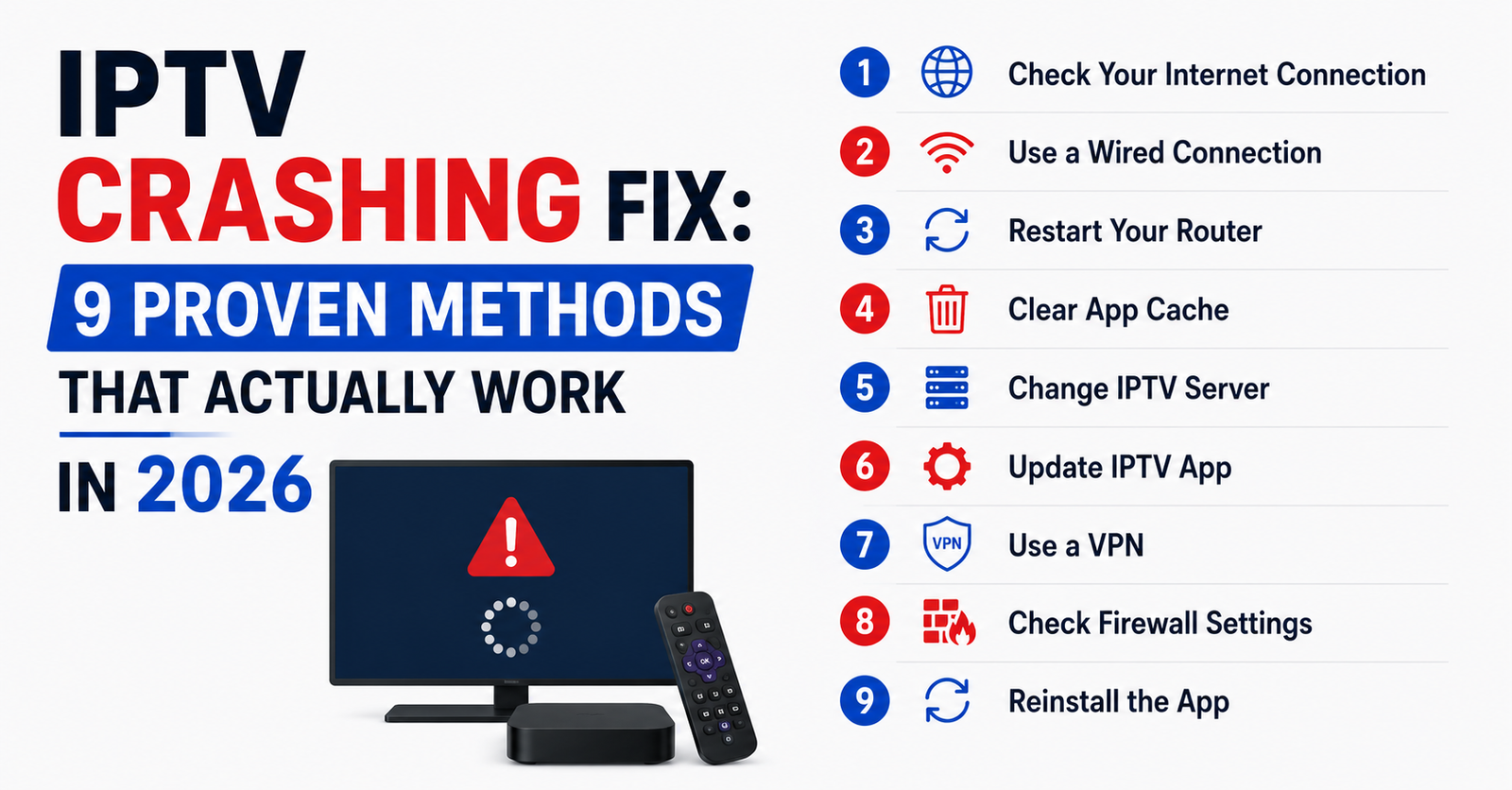

Something broke again. The app froze mid-match, the EPG vanished, and your customer just sent a voice note that’s angrier than the last three combined. You’ve restarted the router. You’ve cleared the cache. You’ve toggled every setting you can find. Still crashing.
Here’s the uncomfortable truth most guides won’t open with: the majority of IPTV crashing issues aren’t caused by the device in the living room. They originate upstream — in overloaded panels, misconfigured DNS, saturated server nodes, or ISP-level interference that no amount of “clear data and restart” will ever touch. An effective IPTV crashing fix in 2026 demands you stop treating symptoms and start diagnosing infrastructure.
This article is built for two audiences. If you’re a household subscriber tired of freezing screens, you’ll find device-level fixes that genuinely work. If you’re a IPTV UK reseller managing dozens or hundreds of lines, you’ll find the panel-side, server-side, and network-level interventions that separate operators who retain customers from those who bleed them.
No filler. No recycled advice from 2021. Every section introduces a different failure point and a different IPTV crashing fix to match.
The DNS Layer Nobody Troubleshoots First
Most crash troubleshooting starts at the app. That’s backwards. DNS resolution failures are responsible for a staggering number of silent crashes — the kind where the app simply closes without an error message, or the channel list loads but playback never initiates.
When your device queries a DNS server that’s slow, poisoned, or filtered, the IPTV app can’t resolve the stream URL. It doesn’t buffer. It doesn’t lag. It crashes.
Pro Tip: Switch to a DNS provider outside your ISP’s ecosystem entirely. Cloudflare (1.1.1.1) or Quad9 (9.9.9.9) resolve faster and aren’t subject to the same filtering tables your ISP applies. On Android-based devices, configure DNS at the router level — not just the device — so every connected box benefits from the same IPTV crashing fix.
Quick DNS checklist for crash elimination:
- Flush DNS cache on your device and router before testing
- Avoid Google DNS (8.8.8.8) in regions where ISPs actively monitor Google DNS traffic for IPTV-pattern queries
- Use DNS-over-HTTPS if your router firmware supports it — this encrypts queries and prevents packet-level inspection
- Test latency to your DNS server using a ping tool; anything above 40ms introduces playback instability
This single layer — DNS — accounts for roughly a quarter of all crash reports that resellers escalate unnecessarily to their panel provider. Fix DNS first. Always.
App-Level Crashes: When the Player Itself Is the Problem
Not every crash is a network event. Sometimes the application is genuinely broken — outdated, misconfigured, or fighting with the device’s operating system for resources it can’t access.
Here’s what actually matters at the app layer when pursuing an IPTV crashing fix.
Memory pressure is the silent killer on budget devices. Firestick Lite, older MAG boxes, and low-RAM Android units struggle when the IPTV app shares memory with background processes. The app doesn’t warn you. It just dies.
Codec incompatibility is the second most common app-level crash trigger. If a channel stream switches from H.264 to H.265 mid-session (which happens when providers rotate server nodes), the player must decode a different format on the fly. Cheaper hardware can’t. Crash.
| Crash Symptom | Likely App-Level Cause | Targeted Fix |
|---|---|---|
| App closes instantly on launch | Corrupted cache or expired token | Clear app data, re-enter credentials |
| Black screen, audio only | Codec mismatch (H.265 on H.264 device) | Switch player engine to VLC or ExoPlayer |
| Crash after 5–10 minutes of playback | Memory overflow from background apps | Kill all background processes, disable auto-updates |
| EPG loads but channels won’t play | Playlist URL expired or DNS block | Refresh playlist URL from panel, change DNS |
Pro Tip: If you’re a reseller providing a white-label app, test every update on at least three device types before pushing it live. One firmware mismatch can turn a stable app into a crash factory overnight. That testing discipline is itself an IPTV crashing fix — a preventative one.
ISP Blocking in 2026: The Invisible Crash Trigger
Your app didn’t crash because of a bug. Your ISP killed the connection.
In 2026, ISP-level blocking has evolved past simple URL Restricted. Major broadband providers now deploy AI-driven deep packet inspection that identifies IPTV traffic patterns — even encrypted ones — by analysing packet size, timing intervals, and destination server reputation scores. When detection triggers, the ISP doesn’t send an error. It terminates the TCP session. From the user’s perspective, the app crashed.
This is the hardest IPTV crashing fix to implement because the user can’t see the cause. There’s no error code. No log entry on the device. Just a dead app.
Signs that ISP interference is your crash source:
- Crashes occur only on your home network, never on mobile data
- VPN eliminates the crashing entirely
- Crashes cluster during peak hours (7pm–11pm) when ISP monitoring is most aggressive
- Other streaming apps (legitimate ones) work fine — the ISP is targeting traffic patterns, not bandwidth
Pro Tip: For resellers, the most effective IPTV crashing fix against ISP blocking isn’t telling every customer to use a VPN. It’s choosing a panel provider whose uplink servers rotate IPs and use obfuscated streaming protocols. The fix is upstream, not downstream.
Panel Overload: Why Reseller Infrastructure Causes Subscriber Crashes
Here’s a conversation that happens in reseller group chats every single weekend: “All my customers are crashing. Is the panel down?” And the panel provider replies, three hours later, “Server was at capacity.”
Panel overload is the most common reseller-side cause of mass crashes, and it’s entirely predictable. When a server node handles more concurrent connections than its CPU and bandwidth can sustain, it doesn’t degrade gracefully. Streams don’t just buffer. They terminate. The app receives a broken HLS manifest, tries to parse it, fails, and crashes.
An IPTV crashing fix at this level requires resellers to understand a few non-negotiable infrastructure realities.
Connection-to-capacity ratios matter. A single server node handling 500 concurrent streams might perform beautifully. At 800, it starts dropping frames. At 1,100, it’s crash territory. Your panel provider’s willingness to cap connections per node is the difference between a stable weekend and a support nightmare.
Backup uplink servers aren’t optional. If your panel relies on a single uplink and that uplink goes down or gets throttled, every line you’ve sold crashes simultaneously. Redundancy isn’t a luxury. It’s the baseline for any panel worth reselling.
- Ask your provider how many uplink servers they maintain
- Ask whether failover is automatic or manual
- Ask what happens during major sporting events when load triples
If they can’t answer clearly, that’s your answer.
HLS Latency and Manifest Errors: The Technical Crash Nobody Googles
Let’s go deeper than most IPTV crashing fix guides ever bother going.
HLS — HTTP Live Streaming — is the protocol most IPTV services use to deliver content. It works by slicing video into small .ts segments, listed in a manifest file (.m3u8) that the player downloads and follows sequentially. When everything works, playback is seamless. When it doesn’t, the failures are bizarre and hard to diagnose.
Manifest corruption happens when the server generates a playlist file with missing segment references, incorrect timestamps, or duplicate entries. The player tries to fetch a segment that doesn’t exist. Instead of buffering, many players crash outright — particularly lightweight ones without robust error handling.
Segment delivery delays create a different crash pattern. If segment N+1 isn’t available by the time the player finishes segment N, the buffer empties. Some players handle this with a loading spinner. Others — especially on Firestick and MAG — interpret an empty buffer as a fatal error and terminate the session.
Pro Tip: Resellers should ask their panel provider about segment duration settings. A 2-second segment duration is aggressive and crash-prone on unstable connections. Moving to 4- or 6-second segments introduces slight latency but dramatically reduces crash frequency. It’s a quiet IPTV crashing fix that subscribers never see but always feel.
Device-Specific Crash Patterns and What They Actually Mean
Not all devices crash the same way. Understanding the pattern tells you where the IPTV crashing fix needs to happen.
Amazon Firestick (all models): The most common crash cause is memory. Firestick OS aggressively reclaims RAM for its own services, starving sideloaded apps. If your IPTV app isn’t installed from the Amazon App Store (and most aren’t), it’s treated as a low-priority process. The OS kills it during peak memory demand.
Fix: Disable Appstore auto-updates, uninstall unused apps, and use a lightweight player build. Some resellers distribute APKs over 80MB in size — that’s bloated. A lean build under 30MB survives memory pressure far longer.
MAG Boxes: Crashes on MAG devices almost always trace back to portal URL misconfiguration or firmware incompatibility. MAG 322 and 324 units running firmware older than 2024 builds struggle with modern stream encryption.
Fix: Update firmware to the latest stable release. Verify the portal URL is HTTPS, not HTTP. Confirm the MAC address is properly activated on the panel.
Smart TVs (Samsung/LG): Native smart TV apps crash most often due to app store version conflicts. Manufacturers push OS updates that break backward compatibility with older IPTV apps.
Fix: Use an external device (Firestick, Formuler, Buzz) instead of relying on the TV’s built-in capabilities. The TV screen is just a display. Let a dedicated box handle the processing.
Load Balancing: The Reseller-Side IPTV Crashing Fix That Scales
If you’re running more than 200 active lines and you’re not thinking about load distribution, you’re building on a foundation that will crack.
Load balancing isn’t just a hosting concept. In IPTV reselling, it means distributing your subscriber base across multiple server nodes so that no single node bears the full weight during peak usage. Without it, Saturday night becomes crash night. Every week.
What proper load balancing looks like for resellers:
- Your panel provider offers multiple server zones (EU West, EU East, US East, Middle East)
- Subscribers are assigned to the nearest or least-loaded zone automatically
- During major events, overflow capacity activates without manual intervention
- You can reassign individual lines to different nodes from within the panel
Pro Tip: The best IPTV crashing fix for scaling resellers isn’t buying more credits — it’s buying credits across multiple server clusters. If your provider only has one cluster, every subscriber shares the same failure point. Diversify your panel infrastructure the same way you’d diversify inventory in any other business.
Customer-Facing Crash Communication: What to Say and When
Crashes don’t just break streams. They break trust. And trust, once broken with a subscriber, is expensive to rebuild.
Most resellers handle crash reports reactively — waiting for the complaint, then scrambling. The operators who retain customers long-term flip that model. They communicate proactively.
When a known issue is affecting streams:
- Send a brief message before customers report it: “We’re aware of intermittent issues on Server 2 tonight. Our provider is working on it. Estimated resolution: 90 minutes.”
- That single message eliminates 70% of incoming complaints and reframes the crash as a managed event rather than a sign of incompetence.
When an individual customer reports crashes:
- Don’t immediately blame their internet. It’s dismissive and usually wrong.
- Walk them through the three-step diagnostic: DNS check → app cache clear → VPN test. If all three fail, escalate to your panel provider with the customer’s MAC or username. That’s a legitimate IPTV crashing fix workflow — not a stalling tactic.
Resellers who build a reputation for honest, fast communication during outages see 30–40% lower churn than those who go silent and hope the problem resolves itself.
VPN Configuration Mistakes That Cause More Crashes Than They Prevent
Everyone recommends VPNs. Almost nobody explains how a misconfigured VPN becomes its own crash source.
A VPN reroutes your traffic through an encrypted tunnel. That’s useful for bypassing ISP blocks. But it also introduces latency, reduces throughput, and — if the VPN server is overloaded — creates the exact same buffering and crash conditions you were trying to escape.
Common VPN-related crash triggers:
- Connecting to a VPN server geographically distant from the IPTV server node (e.g., routing UK traffic through a US VPN endpoint adds 100ms+ latency)
- Using a free or cheap VPN with bandwidth caps — once the cap hits, the connection throttles and the stream crashes
- Running the VPN at the device level while the router also runs a VPN — double encryption, double latency, guaranteed crashes
The correct IPTV crashing fix involving VPNs is surgical, not blanket. Use a VPN only when ISP blocking is confirmed. Connect to a server in the same country as your IPTV server node. Use a provider with dedicated streaming-optimised servers. And test throughput with the VPN active — if speeds drop below 25 Mbps, the VPN is part of the problem.
Seasonal Crash Patterns: Why Timing Tells You Everything
Crashes aren’t random. They follow patterns, and those patterns reveal root causes faster than any diagnostic tool.
Weekend evenings (Friday–Sunday, 7pm–midnight): Peak load. Panel servers strain. ISP monitoring intensifies. This is the highest-crash window globally. If your crashes cluster here, the IPTV crashing fix is almost certainly infrastructure-related — server capacity or ISP interference.
Major sporting events: Connection counts spike 3–5x above baseline. Panels that handle normal load comfortably buckle under event traffic. If crashes happen only during big matches, your provider’s event-capacity planning is the issue.
After provider maintenance windows: Some panels push server updates during off-peak hours. If crashes begin the morning after announced maintenance, a configuration error during the update is likely. Report it immediately — don’t wait to see if it “settles.”
After device OS updates: Amazon, Samsung, and LG all push firmware updates that can break sideloaded app compatibility. If crashes begin the same day a device update installed, roll back the update or reinstall the IPTV app from a clean APK.
Pro Tip: Keep a simple spreadsheet logging crash dates, times, and affected device types. After 30 days, the pattern will tell you exactly where your IPTV crashing fix efforts should focus. Data beats guessing every time.
Frequently Asked Questions
Why does my IPTV app crash only during live sports events?
Live sports generate massive concurrent viewer spikes. Your panel’s server node likely exceeds its connection capacity during these windows. The server can’t deliver HLS segments fast enough, causing your app to receive broken manifests and terminate. Ask your reseller whether their provider activates overflow servers during major events. If they don’t, that’s the root cause — not your device or internet connection.
Can a VPN actually fix IPTV crashing issues?
Only if the crash is caused by ISP-level traffic blocking. A VPN bypasses deep packet inspection by encrypting your connection. However, if the crash originates from panel overload, app bugs, or device memory limits, a VPN won’t help — and might worsen latency. Test by switching to mobile data first. If crashes stop on mobile data but persist on home broadband, ISP interference is confirmed and a VPN becomes a valid IPTV crashing fix.
How do I know if my IPTV crashes are caused by DNS problems?
The clearest indicator is a crash that happens before any video loads — the app opens, the channel list may appear, but selecting a channel causes an immediate close or black screen. Change your DNS to 1.1.1.1 (Cloudflare) at the router level and retry. If playback resumes, DNS resolution was the bottleneck. This fix takes two minutes and resolves roughly 25% of all crash complaints.
What’s the difference between buffering and crashing?
Buffering means the stream is still active but data delivery is delayed — you see a spinning circle. Crashing means the app terminates entirely or returns to the home screen. Buffering is usually a bandwidth or server speed issue. Crashing points to a more fundamental failure: DNS, memory exhaustion, codec errors, or a terminated TCP session from ISP blocking.
Is it worth switching IPTV apps as a crashing fix?
Absolutely, in specific situations. If your current app crashes on codec transitions (H.264 to H.265), a player that supports ExoPlayer or VLC engine handles those transitions more gracefully. IPTV Smarters, TiviMate, and OTT Navigator each use different rendering engines. Switching apps is a legitimate IPTV crashing fix when the issue is player-side, not server-side.
How often should a reseller test their panel’s server stability?
Weekly at minimum, and always 24 hours before a major sporting weekend. Run test lines across at least three device types. Check stream startup time, EPG load speed, and whether channel switching causes crashes. If startup exceeds 8 seconds or channels crash on switch, escalate to your provider before your subscribers do.
Can outdated firmware on my streaming device cause IPTV crashes?
Yes. Firmware updates patch security protocols, codec libraries, and memory management routines. A MAG box running 2022 firmware may not support current stream encryption standards, causing playback to fail silently. Firestick units with outdated Fire OS versions may aggressively kill sideloaded apps. Always update firmware — but test your IPTV app immediately after updating, since new firmware occasionally introduces fresh incompatibilities.
What should I look for in a panel provider to minimise crash risk?
Focus on three things: uplink server redundancy (minimum two independent uplinks), automatic failover during outages, and transparent connection caps per server node. A provider who can’t tell you their per-node connection limit is overloading their infrastructure. Also confirm they use load balancing across multiple geographic clusters. Panel quality is the single biggest variable in long-term crash frequency for resellers.
IPTV Crashing Fix — Reseller Success Checklist
- Audit DNS settings across all customer-facing documentation. Recommend Cloudflare or Quad9 as default DNS in every setup guide you distribute.
- Test your panel’s server performance weekly. Run a 10-minute stream on Firestick, MAG, and Smart TV every Friday evening before peak weekend traffic begins.
- Confirm your provider maintains at least two independent uplink servers with automatic failover. If they don’t, begin evaluating alternative panels immediately.
- Distribute lean APK builds under 30MB. Strip unnecessary features and test on low-RAM devices before pushing to customers.
- Build a crash-log spreadsheet. Track date, time, device type, and crash behaviour for every report. Review monthly to identify patterns.
- Set up proactive outage messaging. When a server issue is confirmed, message affected customers within 15 minutes — before they message you.
- Educate subscribers on VPN best practices. Provide a one-page guide covering when to use a VPN, which server location to choose, and when a VPN will make things worse.
- Review HLS segment duration settings with your provider. If they’re running 2-second segments, request a test on 4-second segments for stability.
- Audit device compatibility quarterly. As manufacturers push firmware updates, verify your app remains stable across your most common device types.
- Visit britishreseller.com to explore reseller panel options built on multi-cluster infrastructure with redundancy and load balancing already configured.