

Most people shopping for IPTV start with a Google search, land on a review site, and read the same recycled paragraph about “10,000 channels and 4K quality.” That tells you nothing useful. If you’re a reseller managing credits or a household buyer trying to understand what you’re actually paying for, you need something different.
Xtreme HD IPTV has been circulating in reseller communities for a while now. It shows up in panel dashboards, in Telegram groups, and on storefronts across the UK and Europe. But what most buyers never ask — and most sellers never explain — is what’s actually running underneath. Infrastructure quality, failover logic, load distribution under peak traffic. These aren’t marketing questions. They’re operational ones.
This guide is written from the operator side. No vague promises about “buffer-free streaming.” What you’ll get here is a working breakdown of how Xtreme HD IPTV fits into the IPTV reseller ecosystem, where it holds up, and where you need to be careful.
What Xtreme HD IPTV Actually Offers (Beyond the Channel Count)
Channel counts are the most overused metric in IPTV marketing. Every panel claims 20,000+. What matters is stream reliability during high-demand windows — Saturday evening sport, major pay-per-view events, holiday weekends.
Xtreme HD IPTV operates on a multi-server delivery model, which in theory reduces the single-point-of-failure risk that kills cheaper alternatives. In practice, what this means for resellers is that during a live premium sports window, you’re less likely to see your entire client base hit buffering simultaneously.
For end users, the critical specs are:
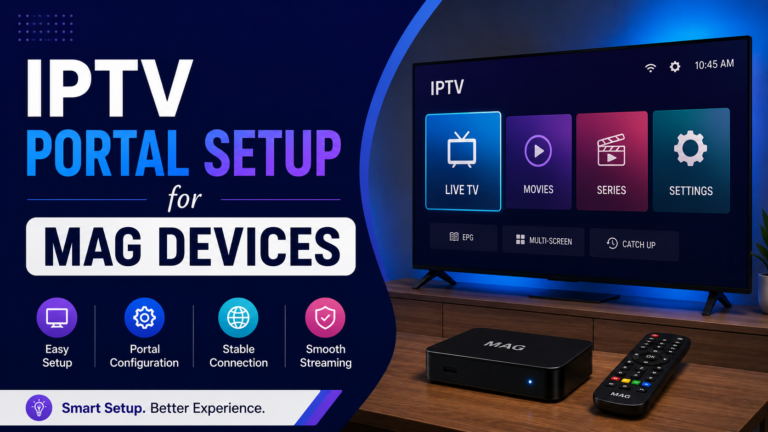
- Supported protocols: M3U, Xtream Codes API, MAG portal
- Compatible devices: Android boxes, Smart TVs (Samsung/LG), Firestick, iOS/Android via third-party players
- Stream formats: HLS and MPEG-TS depending on device configuration
- VOD depth: Typically includes recent releases alongside catalogue content
HLS latency is one of the metrics that separates mid-tier IPTV services from properly managed infrastructure. Xtreme HD IPTV, when routed correctly, generally keeps HLS latency within acceptable thresholds for live content — but this varies depending on your end user’s ISP and geographic position.
Pro Tip: If you’re onboarding clients on fibre connections and they’re still reporting buffering, the issue is rarely the stream source. Check whether your player is configured for MPEG-TS rather than HLS — on faster connections, MPEG-TS handles live channels more efficiently.
The Reseller Panel Structure: Credits, Margins, and What You’re Actually Buying
When you resell Xtreme HD IPTV, you’re not reselling a product in the traditional sense. You’re operating within a credit-based panel system. Understanding this architecture is non-negotiable if you want to run a sustainable reseller business.
Here’s how the chain typically works:
- A top-level provider holds the source infrastructure
- You purchase panel credits at wholesale rates
- Each credit represents a fixed subscription period for one end user
- You create user accounts inside the panel, assign credit durations, and set your own retail pricing
The margin is entirely self-determined. Most resellers working with Xtreme HD IPTV price monthly subscriptions between £8 and £15 for end users, while sourcing credits at significantly lower per-unit cost. The wider your client base, the more aggressively you can negotiate bulk credit pricing with your upstream supplier.
What many beginner resellers miss: panel credits are not refundable once activated. If a client cancels on day three of a 30-day subscription, that credit is gone. Build a clear no-refund policy into your terms from day one, or price your margin wide enough to absorb occasional early churns.
| Factor | Beginner Reseller | Experienced Reseller |
|---|---|---|
| Credit purchase volume | 10–50 per month | 200–1,000+ per month |
| Per-credit cost | Higher (standard rate) | Negotiated bulk rate |
| Margin per subscription | Thinner | 40–60%+ |
| Churn management | Reactive | Built into pricing model |
| Panel monitoring | Manual | Automated alerts |
ISP Blocking in 2026: Why Xtreme HD IPTV Availability Varies by Region
This is the part most reseller guides skip because it’s uncomfortable. ISP-level blocking of IPTV streams has become significantly more sophisticated since 2024.
For Xtreme HD IPTV users in the UK particularly, ISP enforcement has tightened. Major telecoms now operate blocking infrastructure that operates in near-real-time during live premium sports events. The pattern is predictable: a stream works fine on a Tuesday evening test, then drops during a Saturday 5:30pm kickoff.
The fix is not complex but requires proactive setup:
- Recommend clients use a DNS service that bypasses ISP-level poisoning (1.1.1.1 or 8.8.8.8 as a baseline)
- For persistent blocking, a lightweight VPN running only on the streaming device resolves the majority of cases without impacting household internet speed
- Educate clients before they onboard — set the expectation that their ISP may require a DNS change
AI-driven ISP detection tools are now being deployed across major European carriers. These systems analyse traffic patterns rather than specific IPs, meaning that rotating server IPs — a tactic that worked reliably until 2023 — has diminishing effectiveness on its own. Infrastructure providers managing Xtreme HD IPTV streams now need active countermeasures at the distribution layer, not just at the IP level.
Pro Tip: Always test a new client’s stream on their actual home connection before marking the account as live. A stream that works on your test setup (different ISP, different router) may hit immediate DNS blocking on a client running a major UK broadband provider.
Backup Uplink Servers: The Infrastructure Detail That Separates Good Panels from Bad Ones
If a provider can’t answer the question “what happens to my stream if your primary server goes down,” walk away.
Backup uplink servers are the single most important infrastructure feature for any IPTV panel operating in 2026. With enforcement pressure increasing and hardware failures inevitable, a panel without automatic failover is not a panel you should be building a client base on.
Xtreme HD IPTV’s infrastructure, when sourced from a legitimate upstream supplier, operates with redundant uplink configurations. In practical terms:
- Primary server handles normal traffic load
- Secondary (backup) server activates automatically on primary failure
- Failover should occur within seconds — not minutes
The customer experience of a well-configured backup uplink: a brief buffering moment, then stream resumes. The customer experience of a panel without it: complete outage, support tickets, and churn.
For resellers, ask your upstream provider directly:
- How many uplink servers run per region?
- What is the documented failover time?
- Has the backup infrastructure been tested under load (not just in a low-traffic window)?
These are not aggressive questions. They’re basic due diligence. Any credible provider will answer them without hesitation.
Load Balancing Failures: Why Xtreme HD IPTV Struggles During Peak Events (And How to Reduce Client Impact)
No IPTV panel — regardless of branding — is immune to load pressure during simultaneous peak events. The difference between panels that survive those windows and panels that collapse comes down to load balancing architecture.
Load balancing distributes concurrent viewer streams across multiple server nodes. When it’s working correctly, a spike in simultaneous connections (say, 5,000 users all loading the same premium sports channel at 7:45pm) gets absorbed across multiple nodes rather than hammering a single server into the ground.
Where Xtreme HD IPTV resellers commonly see failure:
- Oversold panels: upstream providers have sold more credits than their infrastructure can support simultaneously
- Single-node stream sources: premium channels routed through a single encoder/server with no distribution
- Inadequate CDN coverage: streams delivered from a data centre geographically distant from the viewer cluster
What you can actually do as a reseller, given that you don’t control the upstream infrastructure:
- Monitor your panel’s concurrent connection count during major events
- Have an alternative stream source ready (second panel credits from a different supplier) for emergency use during known high-traffic events
- Communicate proactively with clients before major events rather than after the buffering complaints arrive
Pro Tip: Build a short “event prep” message template. Send it to your client list 24 hours before any major sports fixture. It sets expectations, reduces inbound complaints by roughly 40%, and positions you as a professional operator rather than just a credit seller.
Xtreme HD IPTV for Family Use: Setting It Up Without a Technical Background
Not every customer is a tech enthusiast. A significant portion of the end-user market for Xtreme HD IPTV is families who want a straightforward replacement for traditional pay-TV, without the contract and without the cost.
For this audience, setup complexity is a real churn driver. If a subscriber can’t get their service working on the first evening, they won’t troubleshoot — they’ll request a refund and leave a negative review.
The cleanest setup path for non-technical end users:
- Device: Amazon Firestick 4K (most accessible, familiar interface)
- App: IPTV Smarters Pro or TiviMate (both available on the Firestick store)
- Configuration: M3U URL or Xtream Codes login (panel credentials) — Xtream Codes login is less error-prone for first-time users
- DNS: Set to 1.1.1.1 at the router level before sending credentials
As a reseller, build a simple PDF setup guide branded to your store. It takes two hours to create and reduces support queries by more than half. Include screenshots specific to the apps you recommend and update it quarterly as app interfaces change.
Pro Tip: Record a short screen-capture walkthrough for Firestick setup and host it as an unlisted YouTube video. Link it in your welcome email. Clients who can see exactly what to do convert faster and churn less.
Customer Churn Psychology: Why Xtreme HD IPTV Resellers Lose Subscribers (It’s Not Always the Service)
Here’s something the panel sellers don’t discuss: most IPTV churn is not caused by stream quality. It’s caused by communication failure.
A client whose stream buffers during one Saturday match and receives no explanation will cancel. A client who gets a proactive message saying “we’re aware of elevated load this evening and have escalated to our infrastructure team” will usually stay.
The psychology is straightforward. People accept technical problems when they feel informed. They leave when they feel ignored.
Common churn triggers in Xtreme HD IPTV reseller operations:
- No onboarding message after account activation
- No response within 24 hours to a support query
- Renewal reminders sent too late (less than 48 hours notice)
- Clients discovering their subscription expired because they weren’t reminded
Build a minimal CRM workflow around your panel. A basic WhatsApp Business account with saved message templates covers onboarding, renewal reminders, and issue acknowledgement. It’s not complicated. It’s just communication — and most resellers don’t do it.
Scaling an Xtreme HD IPTV Reseller Business Past 100 Active Subscribers
The gap between a reseller with 20 clients and a reseller with 200 clients is not effort — it’s system design. Operators who stay small usually have no system at all. They’re manually creating accounts, manually chasing renewals, manually answering the same setup questions.
Scaling requires standardisation:
- Use a dedicated panel management tool or spreadsheet to track every active subscription, expiry date, and client contact
- Automate renewal reminders at 7 days and 48 hours before expiry
- Maintain a waiting-list credit buffer — never let your panel credits run to zero
- Diversify your upstream: run Xtreme HD IPTV alongside at least one alternative panel so that a supplier-side outage doesn’t take your entire business offline
At the 100+ subscriber threshold, you also need to think seriously about payment infrastructure. Many payment processors restrict or terminate accounts associated with IPTV reselling without warning. Operators using WorldFirst, Wise, or similar platforms for business receipts tend to manage this more sustainably than those running everything through personal accounts.
Pro Tip: Never keep your entire client base on a single panel credit source. Maintain relationships with at least two upstream suppliers simultaneously. If your primary goes dark — and eventually, some do — you need to migrate accounts within hours, not days.
Xtreme HD IPTV Reseller Success Checklist
Before you take on your next client, run through this:
- Panel credits sourced and tested on your own connection before reselling
- Backup uplink confirmed with your upstream provider
- Client setup guide ready (PDF + optional video)
- DNS recommendation included in your welcome message
- Renewal tracking system active (spreadsheet minimum)
- WhatsApp Business or email templates ready for: onboarding, renewals, outage acknowledgement
- Alternative panel credit source identified for failover
- Payment method reviewed for compliance risk
- No-refund or limited-refund policy documented in your terms
- Event prep message template ready for major live fixtures
Xtreme HD IPTV is one of the more consistently referenced panels in UK and European IPTV reseller circles. Whether it fits your business depends less on the panel itself and more on the infrastructure your upstream provider is running beneath it — and on how professionally you manage the client relationship from the moment they pay.
That’s the part of the business most resellers under-invest in. It’s also the part that determines whether you’re still operating in 12 months.